Instagram API Follower Count (2026): How to Get & Track Followers via Graph API

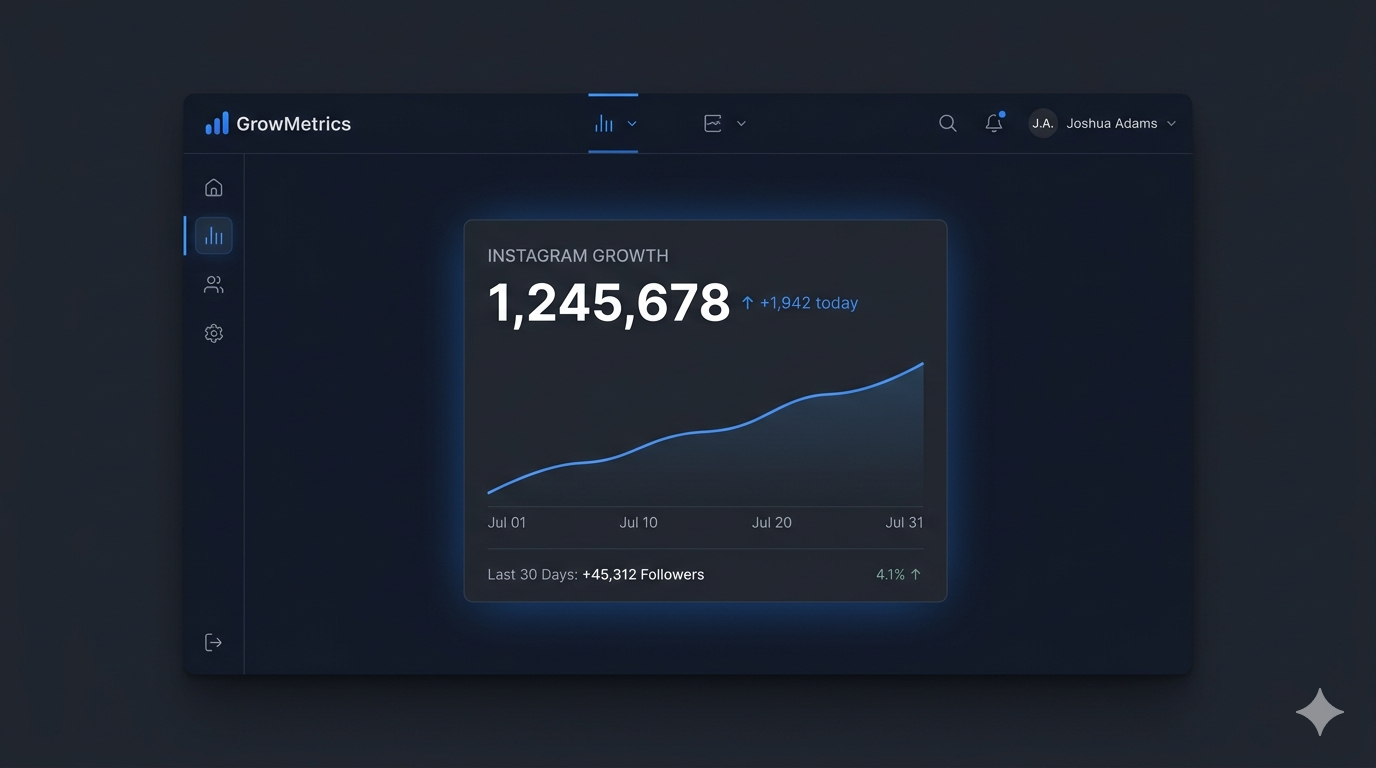
Follower count is one of the most requested data points in the entire Instagram API ecosystem — and also one of the most misunderstood. Developers building analytics dashboards, marketers running influencer campaigns, agencies managing multiple client accounts, and SaaS products tracking social growth all eventually face the same question: how do I get Instagram follower count via API?
The answer depends entirely on whose follower count you're trying to retrieve, what type of account you're working with, and what level of historical data you need. In 2026, with the Basic Display API gone and the Instagram Graph API as the only official path to Instagram data, the rules have changed significantly from what many tutorials still describe.
This guide covers everything: which endpoints expose follower count data, the difference between retrieving your own followers vs. another account's, how to track follower growth over time, what the API does and does not expose, real code examples, rate limits, common errors, and practical use cases for marketers and developers alike.
What Is the Instagram API Follower Count?
The Instagram API follower count refers to the followers_count field available through Meta's Instagram Graph API — the total number of accounts currently following a given Instagram Business or Creator account. This data point is accessible programmatically, allowing developers to pull it into dashboards, analytics tools, influencer marketing platforms, and reporting systems without manually checking the Instagram app.
Critically, follower count in the Instagram API context is not a single, universal endpoint. How you access it depends on whether you are:
Retrieving the follower count of your own authorized account (the account your app is authenticated as)
Retrieving the follower count of another public Business or Creator account (via the Business Discovery endpoint)
Tracking historical follower growth over time (via the User Insights endpoint)
Each of these scenarios uses a different endpoint, requires different permissions, and returns data in a different format. We'll cover all three in detail.
Important Prerequisites: What You Need Before Making Any API Calls
Before pulling any follower count data via the Instagram API, several prerequisites must be in place:
1. A Business or Creator Instagram Account The Instagram Graph API only supports Business and Creator accounts. Personal accounts have had no official API access since the Basic Display API was deprecated on December 4, 2024. If your own account or a target account you want to analyze is personal, it must be converted to a professional type first.
2. A Meta Developer App You need a registered app in the Meta for Developers portal. This app is the entity that holds your API credentials, manages OAuth flows, and scopes permissions for what data your integration can access.
3. A Valid Access Token Every API request requires a valid Instagram User Access Token or System User Access Token. Short-lived tokens expire in about one hour; long-lived tokens are valid for 60 days and should be refreshed every 50–55 days to prevent expiry. Store tokens securely and never expose them in client-side code.
4. The Correct Permissions Different follower data requires different permissions:
instagram_basic — for basic profile data including follower count of your own account
instagram_manage_insights — for historical follower growth metrics and audience insights
pages_read_engagement — required when using Facebook Login for Business for Page-connected accounts
pages_show_list — needed for accessing the Facebook Page linked to the Instagram account
5. App Review (for External Users) If your app is used by accounts other than your own, Meta's App Review process is required for most permissions. Apps in development mode can only be tested by people listed as testers or developers in the app dashboard.
Method 1: Get Your Own Account's Follower Count
The simplest use case — retrieving the follower count of the Instagram account your app is authenticated as — uses the basic user profile endpoint.
The Endpoint
GET https://graph.facebook.com/v22.0/{ig-user-id}
?fields=id,username,followers_count,follows_count,media_count
&access_token={access-token}
Sample Response
{
"id": "17841400000000001",
"username": "yourbrandname",
"followers_count": 48320,
"follows_count": 612,
"media_count": 284
}
Required Permission
instagram_basic (or instagram_graph_user_profile for Instagram Login auth flow)
What You Get
followers_count — total followers at the moment of the API call
follows_count — number of accounts this account follows
media_count — total number of posts published
Key Notes
This returns the current follower count as a snapshot — not historical data
The {ig-user-id} is the Instagram-scoped user ID returned during authentication, not the Instagram username or the numeric ID visible in the app
For accounts with fewer than 100 followers, Meta may restrict certain insights data, though the basic followers_count field is generally still accessible at this level
Method 2: Get Another Account's Follower Count (Business Discovery)
This is the method most commonly needed for influencer vetting, competitor monitoring, and agency reporting — retrieving the follower count of a third-party public Business or Creator account without that account having to authorize your app.
The Instagram Graph API's Business Discovery endpoint allows you to look up basic public profile data — including follower count — from any public Instagram Business or Creator account, using your own authenticated account as the requesting entity.
The Endpoint
GET https://graph.facebook.com/v22.0/{your-ig-user-id}
?fields=business_discovery.fields(username,followers_count,follows_count,media_count,biography,website)
&username={target-username}
&access_token={access-token}
Example: Looking Up Nike's Follower Count
GET https://graph.facebook.com/v22.0/17841400602400210
?fields=business_discovery.fields(username,followers_count,follows_count,media_count)
&username=nike
&access_token=YOUR_ACCESS_TOKEN
Sample Response
{
"business_discovery": {
"username": "nike",
"followers_count": 302847519,
"follows_count": 104,
"media_count": 1842
},
"id": "17841400602400210"
}
Required Permissions
instagram_basic
pages_read_engagement
pages_show_list
Your app must also have the Instagram Public Content Access feature enabled in the Meta developer dashboard
Critical Limitations
The target account must be a Business or Creator account — Business Discovery does not work on personal accounts
You can only look up accounts that are publicly accessible — private accounts return errors
This endpoint returns a snapshot of current follower count, not historical trends
It is not designed for high-frequency bulk scraping of multiple accounts — respect rate limits and build caching into your architecture
Combining Fields for Efficiency
Rather than making multiple API calls, request all needed data in one call:
GET https://graph.facebook.com/v22.0/{your-ig-user-id}
?fields=business_discovery.fields(username,name,biography,website,followers_count,follows_count,media_count,profile_picture_url)
&username={target-username}
&access_token={access-token}
This pulls username, biography, website, follower count, following count, and post count in a single request — maximizing efficiency against your 200 calls/hour rate limit.
Method 3: Track Follower Growth Over Time (User Insights)
The two methods above return a current snapshot of follower count. For tracking growth trends — daily follower gains and losses, week-over-week momentum, campaign-driven spikes — you need the User Insights endpoint, which exposes historical follower data for your own authorized account.
The Endpoint
GET https://graph.facebook.com/v22.0/{ig-user-id}/insights
?metric=follower_count
&period=day
&since={unix-timestamp}
&until={unix-timestamp}
&access_token={access-token}
Period Options
day — daily follower count change (net new followers per day)
week — weekly aggregated follower change
month — monthly aggregated follower change
Sample Response (Daily)
{
"data": [
{
"name": "follower_count",
"period": "day",
"values": [
{
"value": 147,
"end_time": "2026-04-14T07:00:00+0000"
},
{
"value": 203,
"end_time": "2026-04-15T07:00:00+0000"
},
{
"value": 89,
"end_time": "2026-04-16T07:00:00+0000"
}
],
"title": "Follower Count",
"description": "Total number of unique accounts following this profile",
"id": "17841400000000001/insights/follower_count/day"
}
]
}
Important: What follower_count in Insights Returns
Unlike the profile endpoint which returns total followers, the Insights follower_count metric returns the net change per period — how many followers were gained (or lost) in each time window. To build a total follower count history, you need to either:
Start from a known baseline and cumulatively apply the daily deltas
Also store the followers_count snapshot from Method 1 at regular intervals and use Insights data to fill in the daily movement between snapshots
Required Permission
instagram_manage_insights
Data Availability Notes
Insights data is typically available for the last 30 days by default, with some endpoints supporting longer ranges via date parameters
There is an approximate 48-hour reporting delay for some demographic and audience metrics — plan your data pipelines accordingly
Accounts with fewer than 100 followers may have follower insights data restricted or hidden to protect user privacy
As of January 2025, Meta deprecated several Insights fields with Graph API v21 — including profile_views, website_clicks, email_contacts, and video_views for non-Reels content. Always check the current API version documentation before building insights integrations
Complete Python Example: Follower Count Dashboard
Here is a production-ready Python implementation for pulling both current follower count and daily growth data:
import requests
import time
from datetime import datetime, timedelta
class InstagramFollowerTracker:
def __init__(self, access_token, ig_user_id):
self.access_token = access_token
self.ig_user_id = ig_user_id
self.base_url = "https://graph.facebook.com/v22.0"
def get_current_followers(self):
"""Get current follower count snapshot"""
url = f"{self.base_url}/{self.ig_user_id}"
params = {
"fields": "id,username,followers_count,follows_count,media_count",
"access_token": self.access_token
}
response = requests.get(url, params=params)
data = response.json()
if "error" in data:
raise Exception(f"API Error: {data['error']['message']}")
return {
"username": data.get("username"),
"followers_count": data.get("followers_count"),
"follows_count": data.get("follows_count"),
"media_count": data.get("media_count"),
"timestamp": datetime.utcnow().isoformat()
}
def get_follower_growth(self, days=30):
"""Get daily follower change over the past N days"""
until = int(time.time())
since = int((datetime.now() - timedelta(days=days)).timestamp())
url = f"{self.base_url}/{self.ig_user_id}/insights"
params = {
"metric": "follower_count",
"period": "day",
"since": since,
"until": until,
"access_token": self.access_token
}
response = requests.get(url, params=params)
data = response.json()
if "error" in data:
raise Exception(f"Insights Error: {data['error']['message']}")
growth_data = []
for entry in data.get("data", [{}])[0].get("values", []):
growth_data.append({
"date": entry["end_time"][:10],
"daily_change": entry["value"]
})
return growth_data
def get_competitor_followers(self, target_username):
"""Get follower count for another Business/Creator account"""
url = f"{self.base_url}/{self.ig_user_id}"
params = {
"fields": f"business_discovery.fields(username,followers_count,media_count,biography)",
"username": target_username,
"access_token": self.access_token
}
response = requests.get(url, params=params)
data = response.json()
if "error" in data:
raise Exception(f"Business Discovery Error: {data['error']['message']}")
discovery = data.get("business_discovery", {})
return {
"username": discovery.get("username"),
"followers_count": discovery.get("followers_count"),
"media_count": discovery.get("media_count"),
"biography": discovery.get("biography")
}
# Usage example
tracker = InstagramFollowerTracker(
access_token="YOUR_LONG_LIVED_ACCESS_TOKEN",
ig_user_id="YOUR_IG_USER_ID"
)
# Current snapshot
current = tracker.get_current_followers()
print(f"@{current['username']}: {current['followers_count']:,} followers")
# Growth trend
growth = tracker.get_follower_growth(days=30)
total_gained = sum(day["daily_change"] for day in growth)
print(f"30-day net follower change: +{total_gained:,}")
# Competitor lookup
competitor = tracker.get_competitor_followers("competitor_handle")
print(f"Competitor @{competitor['username']}: {competitor['followers_count']:,} followers")
What the Instagram API Does NOT Expose About Followers
Understanding the limitations of follower data through the API is just as important as knowing what it can do. Many developers and marketers expect capabilities that the Instagram Graph API simply does not support:
No follower list access. The Instagram Graph API does not expose a list of individual followers — their usernames, user IDs, profile pictures, or any other identifiers. This data is not available through any official Meta API endpoint. Apps or services claiming to provide full follower lists via the "Instagram API" are using unofficial methods that violate Meta's Terms of Service.
No following list for other accounts. You cannot retrieve who another account follows via the API. The Business Discovery endpoint returns follows_count (a number) but not the actual list of accounts being followed.
No personal account data. Follower counts for personal (non-professional) Instagram accounts are not accessible through any official Meta API. There is no workaround for this through official channels.
No real-time streaming. The API does not push follower count updates in real time. Data must be polled at intervals. Webhooks are available for some Instagram events (like new messages or comments) but not for follower count changes specifically.
No private account data. If a target account has a private profile, Business Discovery and all related endpoints will return errors or empty data regardless of follower count.
No competitor follower history. Business Discovery only returns current snapshots for third-party accounts. Historical follower trend data is only available for your own authenticated account via the Insights endpoint.
Rate Limits and Best Practices for Follower Count Calls
The Instagram Graph API enforces a rate limit of 200 API calls per hour per Instagram account your app is connected to. This limit applies across all endpoints — profile data, insights, media, and Business Discovery calls all draw from the same pool.
For follower count specifically, here are the best practices:
Cache aggressively. Follower count does not change meaningfully minute-to-minute for most accounts. Caching the value with a TTL of 15–60 minutes is entirely appropriate for most use cases and prevents unnecessary API consumption.
Batch field requests. When using Business Discovery to look up multiple data points for a competitor (followers, following, media count, bio), combine them into a single fields parameter rather than making separate calls for each field.
Schedule insights pulls off-peak. If you're running daily follower growth pulls for multiple accounts, schedule them in off-peak hours and implement exponential backoff to handle occasional 429 (Too Many Requests) errors gracefully.
Use long-lived tokens with automated refresh. Short-lived tokens expire in an hour. Long-lived tokens last 60 days. Build automated refresh logic that renews tokens every 50–55 days — well before expiry — to prevent your integration from breaking silently.
Monitor for deprecated metrics. Meta regularly deprecates Insights fields with new Graph API versions. As of v21 (January 2025), several metrics were removed. Always check Meta's developer changelog when updating your API version.
Practical Use Cases: Who Needs Instagram API Follower Count and Why
Influencer Marketing Platforms
The most common commercial use case for the Business Discovery follower count endpoint. Influencer discovery and vetting platforms use it to pull follower counts for thousands of creator profiles, combine the data with engagement rate calculations, and surface recommended creators to brand clients. Smaller TikTok and Instagram accounts often achieve significantly higher engagement rates than larger accounts, which is why sophisticated platforms track both follower count and engagement rate together rather than ranking by follower size alone.
Social Media Management Tools
Agencies and in-house social teams use the User Profile and Insights endpoints to track follower growth for client accounts over time, build automated performance reports, and monitor whether content strategies are translating into audience growth.
Brand Competitive Intelligence
Marketing teams use the Business Discovery endpoint to periodically check competitor follower counts, track their growth trajectory, and benchmark their own account's performance in context. Since this is snapshot data only, most teams build automated scheduled jobs that run daily or weekly and store results in a database for trend analysis.
Analytics Dashboards and BI Integrations
Developer teams pipe follower count and growth data from the Instagram API into business intelligence platforms like Tableau, Looker, or Power BI — connecting social audience data with sales, campaign spend, and other business metrics to show marketing attribution at the executive level.
Creator Economy Tools
Tools built for individual creators use the Insights endpoint to surface follower growth rate, identify which pieces of content drove the biggest follower spikes, and compare follower growth against posting frequency to help creators understand what's working.
Common Errors When Pulling Follower Count via API
"Invalid OAuth access token" — Your token has expired (short-lived tokens expire in 1 hour, long-lived in 60 days). Refresh or re-generate the token.
"User does not exist" (from Business Discovery) — The target Instagram username doesn't exist, is a personal account, or is a private account. Business Discovery only works with public Business and Creator accounts.
"Application does not have permission for this action" — You are missing a required permission scope. Check that instagram_basic, instagram_manage_insights, and pages_read_engagement are all authorized by the account holder.
"The Instagram account is not connected to a Facebook Page" — For the Facebook Login for Business authentication method, the Instagram account must be linked to a Facebook Page. The account owner needs to connect their accounts in Meta Business Manager.
"Unsupported request — This endpoint requires a Business Account" — You are attempting to call a Business-only endpoint (like Insights) on a Creator account that hasn't been properly set up, or vice versa. Verify account type and the correct endpoint for that type.
HTTP 429 "Too Many Requests" — You've hit the 200 calls/hour rate limit. Implement exponential backoff: wait, then retry. Do not retry in a tight loop.
Follower count returns null or is missing from the response — For accounts under 100 followers, some metrics may be suppressed by Meta. Also verify that the followers_count field is explicitly included in your fields parameter — it is not returned by default on some endpoints.
Frequently Asked Questions
Can I get the follower count of any Instagram account via API? Only if the target account is a public Business or Creator account. You can use the Business Discovery endpoint to retrieve followers_count for these accounts. Personal accounts and private accounts are not accessible through the official Instagram Graph API.
Does the Instagram API tell me who my followers are? No. The API returns follower count as a number but does not expose a list of individual follower identities, usernames, or profile data. This data is not available through any official Meta API endpoint.
How often does the Instagram API update follower count? The followers_count field reflects current data at the time of the API call. Instagram's internal systems update follower counts continuously, so each API call returns the latest available count. For Insights data (daily growth), there can be a delay of up to 48 hours.
Can I track historical follower count for a competitor's account? No. The Business Discovery endpoint only returns the current snapshot for third-party accounts. Historical trend data via the Insights endpoint is only available for your own authorized account. To build a competitor follower history, you would need to run scheduled API calls over time and store the snapshots in your own database.
What is the difference between followers_count and the follower_count Insights metric? followers_count (from the profile endpoint) is the total current number of followers at the time of the call. follower_count (from the Insights endpoint) is the net change in followers for a given period — daily, weekly, or monthly. They measure different things and serve different use cases.
Do I need App Review to get follower count? For your own account in development mode, you can pull follower count without App Review. For apps that allow external users to connect and share their data, the relevant permissions (instagram_basic, instagram_manage_insights) require App Review before they can be used in live mode.
What happened to follower count access after the Basic Display API was deprecated? The Instagram Basic Display API did not expose follower count at all — it was not one of its available fields. Follower count was always exclusively available through the Instagram Graph API. The deprecation of the Basic Display API in December 2024 only affected media display and basic profile access for personal accounts, not follower count data for professional accounts.
Summary
Getting Instagram follower count via API in 2026 means working entirely within the Instagram Graph API ecosystem — the only official path to Instagram data after the Basic Display API's shutdown. The key distinctions to build around are: your own account's current count (User Profile endpoint), another account's current count (Business Discovery endpoint), and your own account's historical growth (User Insights endpoint with the follower_count metric).
The API does not expose individual follower identities, follower lists, or historical data for third-party accounts — and no official workaround exists for these limitations. Building with these constraints in mind, rather than against them, is what separates sustainable Instagram API integrations from those that break whenever Meta tightens its policies.
Related Reading
Explore more of the Instagram and social API ecosystem on KeyAPI:
What Is the Instagram API? A Complete Guide — the full overview of Instagram's API landscape for developers and marketers
Instagram Graph API: How to Get Followers List & Following — deep dive into what the Graph API exposes about follower and following data
Instagram Basic Display API: Complete Guide — what the deprecated API was, why it was shut down, and what replaced it
Instagram Messaging API 24-Hour Window Policy — Meta's messaging rules and how to build compliant DM automation
Instagram Username Availability API — how to check Instagram username availability programmatically
What Is the TikTok API? — how TikTok's developer platform compares to Instagram's
TikTok API Influencer Performance Tracking — how brands use API data to vet and measure influencer campaigns
How to Fetch TikTok User Data and Video Metrics via API — technical guide for TikTok data retrieval
How to Use the TikTok API for Marketing Automation — automating TikTok marketing workflows via API
Top Use Cases for the TikTok API in E-Commerce — how e-commerce brands leverage TikTok API data
TikTok Shop API Integration Guide for Sellers — everything sellers need for TikTok Shop API setup
How to Go Viral on TikTok — organic growth strategies to complement your API analytics
How to Turn Off Captions on TikTok, Reels & Shorts — quick practical guide for short-form video optimization