How to Fetch TikTok User Data & Video Metrics via API 2026

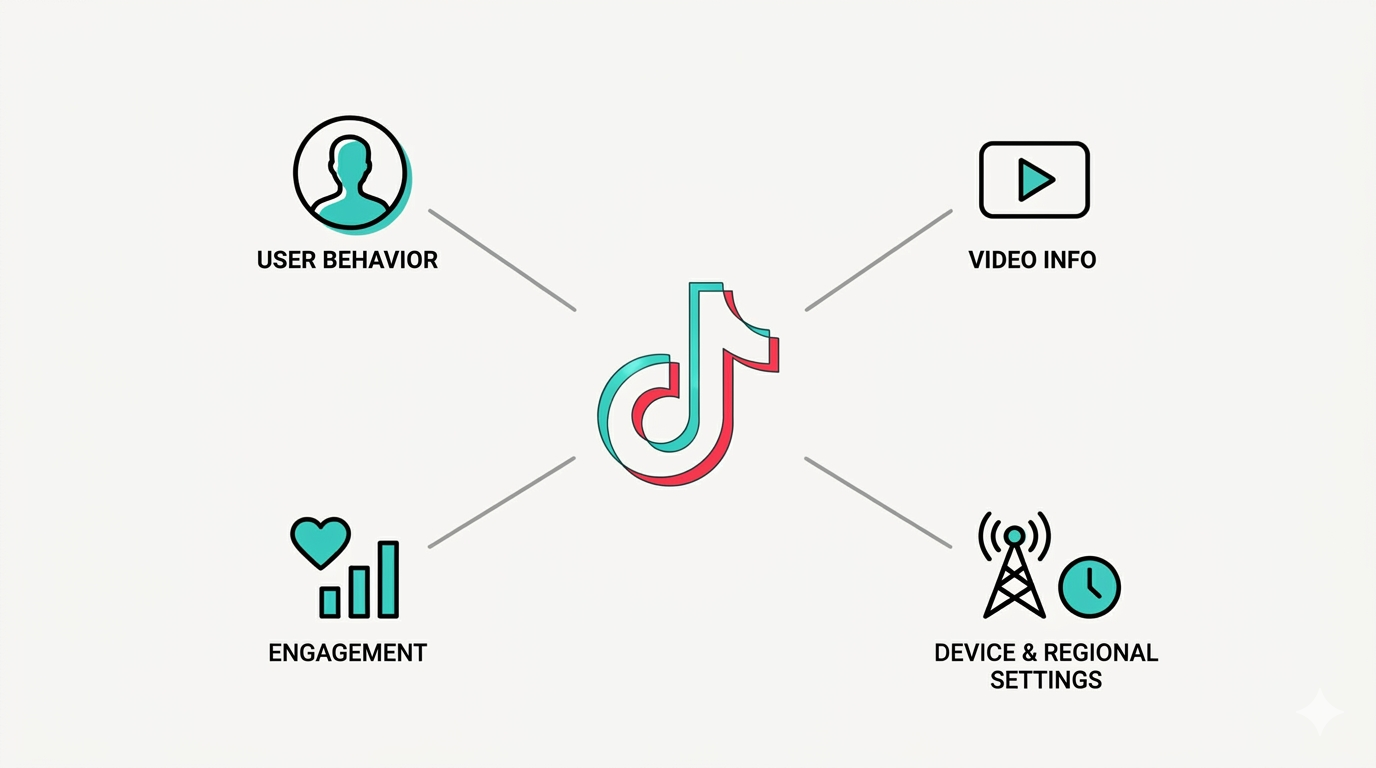
Whether you're building a creator analytics dashboard, an influencer marketing platform, or a social listening tool, the foundation of every TikTok integration starts with the same two things: fetching user profile data and pulling video performance metrics.
Sounds simple enough. But TikTok's API ecosystem makes this surprisingly tricky. There are multiple APIs, each returning different types of data, with different access requirements, different authentication flows, and different limitations on what you can actually retrieve. Some data points that developers expect to be available — like audience demographics — aren't accessible through the official API at all.
This guide breaks down every method available in 2026 for fetching TikTok user data and video metrics. We'll cover the official APIs, explain their endpoints and response structures, walk through authentication, discuss what data you can and can't get, and show you how to fill the gaps.
Understanding What Data Is Available (and What Isn't)
Before writing a single line of code, it's important to understand the boundaries of TikTok's official data access.
User data you CAN fetch through official APIs: Open ID (TikTok's unique identifier for the user within your app), display name, avatar URL, profile deep link, bio description, and whether the user has verified their account.
Video data you CAN fetch through official APIs: Video ID, title, description, duration, cover image URL, share URL, embed link, creation timestamp, and — depending on the endpoint and permissions — view count, like count, comment count, and share count.
Data you CANNOT fetch through official APIs (for commercial use): Audience demographics (age, gender, location), follower and following lists, private analytics like watch time and traffic sources, For You Page feed data, trending video feeds for non-authenticated users, and competitor account data. The Research API provides some of this data, but access is restricted to approved academic and nonprofit researchers.
This gap between what developers need and what the official API provides is one of the biggest pain points in the TikTok developer ecosystem. We'll cover how to work around it later in this guide.
For a foundational overview of TikTok's full API suite, start with our guide on what the TikTok API is and how to get started.
The Official APIs for Fetching User and Video Data
TikTok provides three primary official pathways for accessing user and video data. Each serves a different use case and has its own access requirements.
1. Display API
The Display API is the most common starting point for developers building consumer-facing integrations. It provides read-only access to an authenticated user's profile information and their publicly shared videos.
The Display API has three core endpoints:
GET /v2/user/info/ — Returns basic profile information for the authenticated user. Available fields include open_id, union_id, avatar_url, display_name, bio_description, and profile_deep_link. To access this endpoint, your app needs the user.info.basic scope.
POST /v2/video/list/ — Returns metadata for the authenticated user's most recently uploaded videos. The response includes video IDs, titles, descriptions, durations, cover image URLs, share URLs, and embed links. This endpoint supports pagination through a cursor mechanism — TikTok returns a cursor value and a has_more flag to indicate whether additional pages of results are available. Requires the video.list scope.
POST /v2/video/query/ — Given a list of video IDs (up to 20 at a time), returns the metadata for those specific videos. This is useful for refreshing data on known videos rather than paginating through a user's entire library. Also requires the video.list scope.
Key limitation: The Display API only returns data for the user who has authenticated with your app. You cannot use it to fetch data about arbitrary TikTok accounts. The user must log in through Login Kit and explicitly grant your app permission.
2. Research API
The Research API provides broader access to public TikTok data, including the ability to query videos by keyword or hashtag and fetch public user profile information without requiring individual user authentication.
Available endpoints include video search (query public videos by keyword, hashtag, or other filters), user info lookup (fetch public profile data for specified accounts), and comment retrieval for public videos.
Key limitation: Access is restricted to approved academic researchers, nonprofits, and select organizations. Commercial applications are typically rejected. Rate limits are designed for periodic research projects, not real-time data pipelines. If your use case is commercial — building a SaaS product, running marketing analytics, or powering an influencer platform — the Research API is likely not available to you.
3. Business API (Organic Endpoints)
The TikTok API for Business includes organic endpoints that let brands manage their own TikTok business accounts. These endpoints provide access to account-level insights, including video performance metrics, follower counts, and engagement data for content published through the brand's own account.
Key limitation: This is only available for TikTok Business accounts and primarily serves brands managing their own organic presence — not third-party applications pulling data from multiple accounts.
Authentication: Getting Access to User Data
All official TikTok API endpoints require authentication. The process follows the standard OAuth 2.0 flow.
Step 1: Register your app. Create a developer account at developers.tiktok.com. Register your application, add the products you need (Login Kit, Display API, etc.), configure your redirect URI, and submit for review.
Step 2: Request user authorization. Direct the user to TikTok's authorization URL with your client key, the scopes you need (e.g., user.info.basic, video.list), and your redirect URI. The user logs in with their TikTok credentials and approves the permissions your app is requesting.
Step 3: Receive the authorization code. After the user approves, TikTok redirects them back to your redirect URI with an authorization code appended as a query parameter.
Step 4: Exchange the code for an access token. Your server sends a POST request to TikTok's token endpoint with the authorization code, your client key, and your client secret. TikTok returns an access token (and a refresh token) that you'll use for all subsequent API calls.
Step 5: Make authenticated API calls. Include the access token in the Authorization: Bearer header of your API requests.
Important considerations for production applications:
Access tokens expire. Implement a token refresh mechanism that monitors token validity and uses the refresh token to obtain new access tokens before the old ones expire. Don't wait for API calls to fail — refresh proactively.
Store your client key and client secret as server-side environment variables. Never expose them in client-side code, mobile apps, or public repositories.
Each user who authenticates with your app gets their own unique open_id. This identifier is consistent across sessions but specific to your app — the same user will have a different open_id if they authenticate with a different application.
For a more detailed walkthrough of the authentication process, see our article on TikTok API marketing automation, which covers the OAuth flow in the context of building automated workflows.
Fetching User Profile Data: Step by Step
Once you have an authenticated access token, fetching user profile data is straightforward.
Send a GET request to TikTok's user info endpoint with the access token in the authorization header. Specify the fields you want in the query parameters — for example, open_id, union_id, avatar_url, and display_name.
The API responds with a JSON object containing a data block with the user's information and an error block indicating the request status. A successful response will have an error code of "ok" with an empty message string.
Here's what a typical user profile response includes: the user's open_id (unique to your app), union_id (consistent across apps owned by the same developer), avatar_url (link to their profile picture), display_name (their public name), bio_description (their profile bio text), and profile_deep_link (a URL that opens their profile in the TikTok app).
What you won't get: Follower count, following count, total likes, total video count, account creation date, or verified status are not available through the standard Display API user info endpoint. These fields are either available through the Business API (for your own business account) or through third-party data providers.
Fetching Video Data and Metrics: Step by Step
Pulling video data involves either listing a user's recent videos or querying specific videos by ID.
Listing Recent Videos
Send a POST request to the video list endpoint with the access token and, optionally, a cursor for pagination and a max count for the number of results per page.
The response includes an array of video objects, each containing the video's id, title, video_description, duration (in seconds), cover_image_url, share_url (a public link to the video), and embed_link (for embedding the video in a webview).
To paginate through all of a user's videos, check the has_more field in the response. If it's true, pass the returned cursor value in your next request to fetch the next page.
Querying Specific Videos
If you already know the video IDs you want data for, use the video query endpoint. Send a POST request with an array of video IDs (up to 20 per request) and the fields you want returned.
This is more efficient than listing all videos when you only need data on specific content — for example, when refreshing metrics for videos you're already tracking.
Engagement Metrics
Depending on your app's permissions and the specific scopes granted by the user, video responses may include engagement metrics: view_count (total plays), like_count, comment_count, share_count, and in some cases collect_count (saves/bookmarks).
These metrics are point-in-time snapshots — they reflect the video's performance at the moment you make the API call. To track performance over time, you need to poll the API periodically and store the metrics in your own database, then calculate deltas between polling intervals.
Important note: TikTok does not provide webhooks for content or profile updates through the Display API. There's no push notification system that alerts you when a video's metrics change. You must build your own polling infrastructure to keep data current.
Building a Polling System for Ongoing Data Collection
For any application that tracks video performance over time — analytics dashboards, influencer platforms, campaign monitoring tools — you need a reliable polling system.
Here's a practical architecture:
Define your polling cadence. New videos and actively promoted content should be polled more frequently (every few hours). Older content can be polled less often (daily or weekly). Build tiered polling schedules based on content age and activity level.
Use a task queue. Instead of running polling in a single script, use a message queue (like Redis, SQS, or RabbitMQ) to manage polling jobs. This prevents bottlenecks, handles failures gracefully, and lets you scale horizontally as the number of tracked accounts and videos grows.
Store historical data. Each time you poll, store the full metrics snapshot with a timestamp. This gives you the raw data to calculate growth rates, engagement trends, and performance comparisons over any time window.
Handle rate limits. TikTok enforces rate limits that vary by endpoint. Spread your polling requests across time windows rather than sending them in bursts. Implement exponential backoff when you hit rate limits.
Monitor token health. Access tokens can expire or be revoked. Your polling system should detect authentication failures and trigger re-authorization flows automatically.
At scale — once you're tracking thousands of accounts — building and maintaining this polling infrastructure becomes a significant engineering investment. This is one of the primary reasons teams turn to unified API platforms that handle the polling, caching, and data normalization for you.
Filling the Gaps: Data the Official API Doesn't Provide
The official TikTok API is deliberately limited in scope. It's designed around user-consented access to individual accounts, not broad data collection. For many real-world use cases, this creates significant gaps.
Audience demographics. The official API does not provide data on a creator's audience composition — age distribution, gender split, geographic breakdown. This data is critical for influencer marketing platforms and brand partnerships, but it's simply not available through official endpoints.
Public profile metrics at scale. Want to pull follower counts, total likes, and video counts for thousands of TikTok creators? The Display API requires each creator to individually authenticate with your app. There's no endpoint for looking up public data on arbitrary accounts (outside of the restricted Research API).
Hashtag and keyword analytics. Searching for videos by hashtag or keyword, tracking hashtag performance over time, and monitoring trending content are not available through the Display API for commercial applications.
Competitor analysis. Monitoring competitor accounts' content strategies, posting frequency, engagement rates, and audience growth requires data access that the official API doesn't provide.
Comment and sentiment analysis. While some endpoints can fetch comments, doing so at scale across many accounts and videos requires broader access than the official API typically grants.
How to Fill These Gaps
This is where third-party data APIs become essential. Platforms like KeyAPI provide access to TikTok data that the official API doesn't cover — including user profiles with follower counts, video metrics with full engagement data, shop and commerce data, creator intelligence, and more — all through a single REST API with over 70 TikTok-specific endpoints.
The advantage of a unified platform like KeyAPI is that you don't just get TikTok data. You get access to 20+ platforms (Instagram, YouTube, Twitter/X, LinkedIn, Reddit, Amazon, and more) through a single API key. For teams building cross-platform analytics or influencer marketing tools, this eliminates the need to maintain separate integrations for every platform.
KeyAPI operates on a pay-as-you-go credit model with no subscriptions, so you're only paying for the data you actually request. Combined with sub-500ms average latency and a 99.9% uptime SLA, it's built for production applications that need reliable, real-time data access.
Calculating Engagement Metrics from Raw Data
Once you have video metrics — whether from the official API or a third-party provider — the next step is turning raw numbers into actionable insights.
Engagement Rate
The most commonly used formula for TikTok engagement rate is:
Engagement Rate = (Likes + Comments + Shares) / Views × 100
TikTok's average engagement rate hovers around 2.5%, which is significantly higher than most other social platforms. Rates above 5% are considered strong, and rates above 10% indicate highly engaged content or audiences.
Views-to-Follower Ratio
This metric indicates how well a video performs relative to the creator's audience size:
V/F Ratio = Views / Follower Count
A ratio above 1.0 means the video reached beyond the creator's existing audience — a sign that TikTok's algorithm is distributing the content broadly. Ratios above 2.0 or 3.0 suggest the content is being pushed to the For You Page aggressively.
Growth Velocity
Track follower count over time to calculate daily, weekly, or monthly growth rates:
Daily Growth Rate = (Today's Followers - Yesterday's Followers) / Yesterday's Followers × 100
Spikes in growth velocity often correlate with viral content or successful collaborations and are useful signals for identifying emerging creators.
Content Performance Benchmarking
Compare a creator's recent videos against their own historical average. If a creator's typical video gets 100,000 views and their latest video has 500,000, that's a 5x outlier worth investigating. This type of benchmarking is more useful than comparing raw numbers across creators with different audience sizes.
For brands evaluating creators for partnerships, these metrics are essential. Our guide on how brands use the TikTok API to track influencer performance covers this topic in depth.
Practical Code Architecture for Data Fetching
While we won't provide full production code, here's a high-level architecture that most TikTok data applications follow:
Authentication module. Handles the OAuth flow, stores tokens securely, monitors token expiration, and refreshes tokens automatically. This module should be reusable across all your API integrations.
Data fetching layer. Makes the actual API calls to TikTok (or your third-party data provider). Implements retry logic with exponential backoff, handles rate limiting, and normalizes response data into a consistent internal format.
Storage layer. Persists user profiles and video metrics in your database with timestamps. Supports both current-state queries ("what are this creator's latest metrics?") and historical queries ("how has this creator's engagement changed over the past 90 days?").
Processing layer. Calculates derived metrics (engagement rates, growth velocity, performance benchmarks) from the raw data. Runs on a schedule or in response to new data arriving.
Presentation layer. Serves the processed data to your frontend — whether that's a dashboard, an API endpoint for your customers, or an automated report.
This architecture works whether you're using the official TikTok API, a third-party provider like KeyAPI, or a combination of both.
Common Pitfalls and How to Avoid Them
Assuming public data is freely accessible. The official TikTok API is permission-based. Most endpoints require individual user authentication. Don't build your product around the assumption that you can pull data on any TikTok account — plan for the authentication requirement or use a third-party data provider.
Not handling token expiration. Access tokens expire silently. If your system doesn't monitor and refresh tokens proactively, your data pipeline will break without warning. Build token health monitoring from day one.
Ignoring rate limits. Hitting rate limits repeatedly can result in temporary blocks or reduced access. Implement proper rate limit handling — check response headers for remaining quota, use backoff strategies, and distribute requests across time.
Building polling systems that don't scale. A polling system that works for 100 accounts will break at 10,000. Use job queues, horizontal scaling, and tiered polling frequencies from the start.
Not storing historical data. TikTok's API returns point-in-time snapshots. If you don't store each snapshot with a timestamp, you lose the ability to track trends, calculate growth rates, or compare performance over time. Always store the raw data — you can always derive new metrics later, but you can't go back and re-poll historical states.
Expecting audience demographics from the official API. This is one of the most common misconceptions. The official Display API does not provide audience demographic data. If your use case requires demographics, plan to use a third-party solution from the start.
When to Use the Official API vs. a Third-Party Provider
Here's a simple decision framework:
Use the official API when: You're building a tool where individual users authenticate and grant access to their own data. Examples include social media management tools where creators connect their accounts, publishing platforms that need Content Posting API access, and brand dashboards that display the brand's own account analytics.
Use a third-party provider when: You need data on accounts that haven't authenticated with your app, you need audience demographics, you need to track competitors, you need to monitor hashtags and trends at scale, or you need data from multiple platforms through a single integration. KeyAPI is purpose-built for these use cases, providing unified access to TikTok and 20+ other platforms through a single REST API key.
Use both when: You need authenticated publishing capabilities (official API) alongside broad data access for analytics and intelligence (third-party provider). Many production applications combine both approaches.
Final Thoughts
Fetching TikTok user data and video metrics is the foundation of virtually every TikTok integration — from simple profile displays to sophisticated analytics platforms. The official API provides a solid starting point for authenticated, user-consented data access, but its limitations mean most production applications will need to supplement with third-party data providers to cover the full range of use cases developers and businesses actually need.
Start by mapping your data requirements against what the official API provides. Build your authentication and data fetching infrastructure. Implement proper polling, storage, and processing layers. And when you inevitably hit the gaps in official API coverage, know that unified platforms like KeyAPI exist specifically to fill them — giving you access to the data you need without the complexity of building and maintaining multiple integrations.
The data is there. The tools are available. Now go build something useful with it.