Instagram Messaging API 24-Hour Window Policy: The Complete Guide (2026)

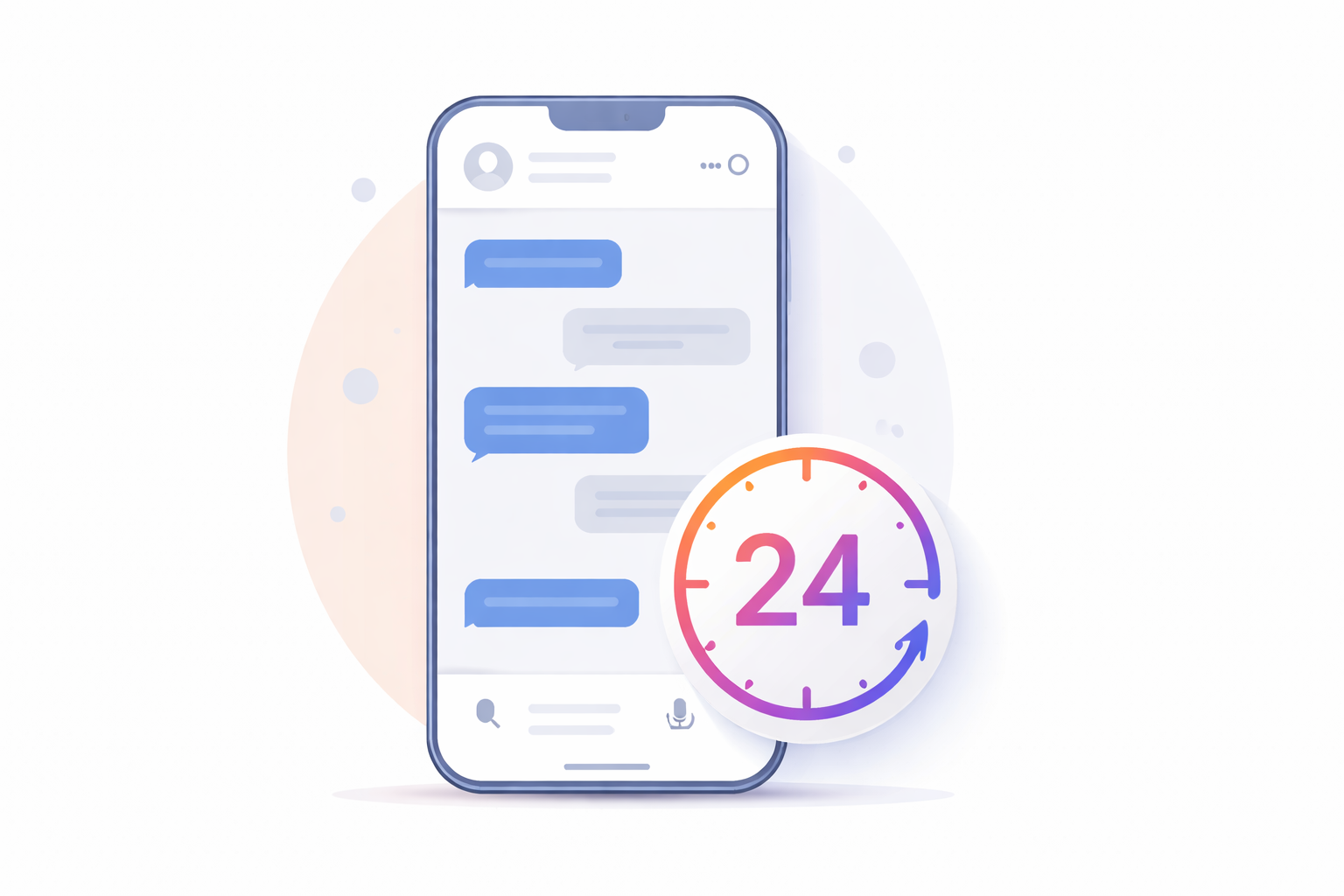
If you've ever built a chatbot on Instagram, set up DM automation, or tried to follow up with a customer after a conversation went cold — you've almost certainly run into the Instagram Messaging API 24-hour window policy. It's one of Meta's most important and often misunderstood rules for business messaging on Instagram, and getting it wrong doesn't just break your automation — it can cost you your account's ability to send messages altogether.
This guide covers everything: what the 24-hour window actually is, why Meta enforces it, what opens and resets the clock, the legitimate exceptions that exist, how to work strategically within the rules, and what happens if you ignore them. Whether you're a developer building on the Instagram Graph API or a marketer managing DM campaigns, this is the reference you need.
What Is the Instagram Messaging API 24-Hour Window Policy?
The Instagram Messaging API 24-hour window policy is a rule enforced by Meta through the Instagram Graph API that restricts when businesses can send messages to users via automated or API-driven systems.
The core rule is straightforward: you can only send a message to a user within 24 hours of their last interaction with your Instagram business or creator account. Once that 24-hour window expires, the messaging channel closes — the Instagram Graph API will block outbound message attempts until the user re-engages.
This policy applies specifically to:
Instagram Business accounts using the Graph API
Instagram Creator accounts connected to third-party automation platforms
Any app or integration using the Send API to deliver messages programmatically
Chatbots and automated DM flows built on platforms like ManyChat, Spur, or custom API implementations
It does not apply to personal Instagram accounts, which operate under different and much more limited API terms.
The policy mirrors a similar framework that Meta applies to Facebook Messenger — a deliberate design choice to protect users from being bombarded with unsolicited messages and to keep Instagram DMs feeling personal and relevant rather than spammy.
Why Does the 24-Hour Window Policy Exist?
Meta introduced this policy as a direct response to the rise of aggressive DM marketing. As businesses discovered how powerful Instagram's inbox was for reaching customers, many began flooding users with promotional messages days or weeks after any real interaction — effectively turning Instagram DMs into a bulk email channel without the opt-out mechanisms.
The 24-hour window solves this by making user interaction the prerequisite for communication. If a user hasn't engaged with your account in the last 24 hours, the policy treats any outbound message as potentially unwanted. This framework:
Protects users from unsolicited promotional messages
Reduces spam in Instagram's DM ecosystem
Encourages businesses to build genuine, responsive conversations rather than one-way broadcast channels
Creates a quality signal — if users keep engaging, the window keeps resetting, indicating real interest
From a developer and business perspective, it forces a discipline that, while sometimes frustrating, generally produces better customer experiences. Brands that work within the 24-hour window build more engaged audiences because every conversation starts with a user action.
What Opens the 24-Hour Window?
Understanding exactly what triggers and resets the 24-hour clock is critical for building compliant Instagram messaging workflows. The window opens — and resets — when a user takes any of the following actions:
Actions that open the 24-hour window:
Sending a DM to your account — the most direct trigger; any message from a user to your business inbox starts a fresh 24-hour window
Commenting on one of your posts — when a user comments and your automation is set to reply via DM, the comment itself opens the window
Replying to your Instagram Story — a user's Story reply is treated as a direct interaction and opens the messaging window
Clicking a CTA button that sends a message — interactive buttons within the chat interface that initiate a message thread
A user replying to an existing conversation — every time a user sends a message within an ongoing thread, the 24-hour clock resets from that moment
Actions that do NOT open the 24-hour window:
A user clicking a "Shop Now" or "Visit Website" button that redirects off Instagram — these off-platform clicks do not count as messaging interactions
A user simply viewing your content without interacting
A user liking a post or reel without sending a message
Your business sending a message to a user who hasn't yet initiated contact
This distinction matters enormously for DM automation design. Every time a user responds, the clock resets — so active conversations can run indefinitely. It's the dormant users — those who engaged once and never replied — who fall outside the window.
What Can You Send Inside the 24-Hour Window?
Within an open 24-hour window, businesses have significant flexibility in what they can send. Meta's policy allows:
Promotional content and offers
Product recommendations and links
Follow-up questions and qualifying sequences
Order confirmations and transactional messages
Multimedia content (images, videos, carousels)
Quick-reply buttons and interactive templates
Marketing message opt-in requests (covered below)
Customer support conversations of any kind
The 24-hour window is genuinely permissive — Meta's intent is not to prevent marketing on Instagram, but to ensure it happens in the context of a real, user-initiated conversation. If someone DMed you asking about your product an hour ago, you can send a promotional follow-up, a discount code, a product video, or a full sales sequence — all within policy.
One important nuance: the 200 automated messages per hour rate limit also applies within this window. Since October 2024, Meta reduced the Instagram Graph API automated DM limit from 5,000 to 200 per hour per account. This means if your content goes viral and triggers 500 DM automations in 30 minutes, only 200 will send immediately — the rest queue for the next hour. This is not a ban risk when using official API tools; it is a hard architectural limit that all compliant platforms must operate within.
What Happens When the 24-Hour Window Closes?
Once 24 hours pass without any user interaction, the window closes and standard API messaging becomes blocked. Attempting to send a message outside the window returns an error — the user effectively becomes unreachable through normal API channels until they re-engage.
This is where many businesses hit a wall. The instinct is to find a workaround — to push out one more follow-up, one more promotional message, one more "just checking in." But Meta's policy is intentionally strict here: there is no direct equivalent to WhatsApp's message templates that allows businesses to reach users outside the window with freely composed promotional content. Once the clock runs out, you wait.
However, Meta does provide several legitimate, structured exceptions for specific use cases. Understanding these is essential for building compliant workflows that still handle real business needs.
The 3 Legitimate Exceptions to the 24-Hour Window
1. The Human Agent Tag (7-Day Extension)
The Human Agent tag (HUMAN_AGENT) is Meta's approved mechanism for extending the response window from 24 hours to 7 days — but with strict limitations on how it can be used.
What it allows: A human support agent (not a bot) can respond to a user's inquiry up to 7 days after the user's last message. This is designed for situations where a customer's issue genuinely cannot be resolved within 24 hours — for example, a refund dispute that requires internal review, a technical support case that takes several days, or a query received over a holiday weekend.
Critical rules for the Human Agent tag:
It must be applied by a real human, not an automated system or bot. Meta explicitly prohibits using this tag for automated messages — and its systems are designed to detect this misuse.
It is for support purposes only — resolving ongoing issues, providing updates on existing cases, or continuing a support conversation. Using it for promotional content is a policy violation.
Most professional automation platforms automatically apply the Human Agent tag when a live agent sends a manual message outside the 24-hour window, removing the technical burden from the agent.
Attempting to automate messages using the Human Agent tag results in API errors (typically a 400 Bad Request with "Unsupported message tag").
Use case example: A customer DMs you on Friday afternoon about a damaged order. Your team is closed over the weekend. On Monday morning, a human agent can use the Human Agent tag to respond to the original inquiry — three days later — without violating policy. This is exactly the use case Meta designed it for.
2. One-Time Notifications (OTNs)
One-Time Notifications allow businesses to send a single message outside the 24-hour window — but only after obtaining explicit user consent within the window.
How it works: During an active conversation (within the 24-hour window), you ask the user to opt in to receive a specific future notification. For example: "Would you like to be notified when this item is back in stock?" If the user opts in, you can send that one notification later — even after the window has closed.
Key constraints:
You can only send one message per opt-in — this is not a subscription or recurring notification channel
The message must be directly related to the topic the user opted in for — you cannot use a back-in-stock opt-in to send an unrelated promotional offer
The opt-in request itself must be sent within an open 24-hour window; the act of opting in does not independently open or extend the window
You cannot send more than one opt-in request per user per week on the same specific topic
OTNs are powerful for specific e-commerce and event scenarios — price drop alerts, restock notifications, event reminders — but they are not a mass marketing tool. Each opt-in is individual and single-use.
3. Marketing Messages (Recurring Opt-In Notifications)
Marketing Messages are Meta's opt-in-based recurring notification system for Instagram. They allow businesses to send ongoing notifications — product recommendations, promotional content, relevant updates — to users who have explicitly consented to receive them.
How it works: During an open 24-hour window, you send the user an opt-in request for a specific notification topic (for example, "Weekly flash sale alerts" or "New product drop notifications"). If the user accepts, you can send recurring marketing messages on that topic outside the standard window on an ongoing basis.
Key rules:
The opt-in request must be sent within an open 24-hour window
You cannot send more than one opt-in request per user per week on the same topic — duplicate requests are blocked by the API
The opt-in is topic-specific — you need separate opt-ins for different message categories
Users can opt out at any time; if they do, further messages generate an API error
Marketing Messages cannot be used for spam, misleading content, or topics that don't match the stated opt-in purpose
A user's action of opting in does not itself open the 24-hour window for other types of messages
Important note: As of February 2024, Meta paused new access to the Instagram DM List Beta feature. Only accounts that were already approved before the pause retain access. For most brands building new integrations, Marketing Messages opt-ins and One-Time Notifications are the primary compliant paths for reaching users outside the standard 24-hour window.
Message Tags: The Broader Framework
Beyond the Human Agent tag, Meta's messaging framework includes Message Tags — predefined categories that allow non-promotional messages outside the standard window in specific, documented scenarios. These are more extensively implemented on Facebook Messenger but carry some applicability on Instagram:
Post-Purchase Update: For sending transactional updates related to a recent purchase — receipts, shipping confirmations, refund notifications. Cross-sell and upsell promotional content is explicitly prohibited within this tag; the communication must remain strictly transactional.
Confirmed Event Update: For sending reminders and updates about events a user has explicitly registered for. Only applicable to upcoming or ongoing events. The user must have taken a clear registration action — simply being interested is not sufficient.
Human Agent: Covered above — the most consistently supported and reliable tag for Instagram's API as of 2026.
A practical note for developers: Meta's tag support varies between Messenger and Instagram. Other tags documented for Messenger may not behave identically on Instagram's API — always verify your automation platform's current documentation for confirmed Instagram-specific tag support before building around them.
Rate Limits and the 24-Hour Window: How They Interact
The 24-hour window policy and the Instagram Graph API's rate limits are separate but intersecting constraints. Here's how they interact in practice:
The 200 messages/hour limit applies to automated outbound DMs within an open 24-hour window. If you're running a comment-trigger automation on a viral post and 400 people comment in one hour, only 200 get automated replies immediately — the rest queue for the following hour's allotment.
The rolling 24-hour window determines whether you're allowed to send at all — independently of the hourly rate limit. A message sitting in the queue because of the rate limit can still be blocked by the window expiring before the queued message sends.
For high-volume accounts, this combination of constraints requires thoughtful automation architecture: prioritizing fast responses when windows are fresh, and building queue management that respects both limits simultaneously. This is one reason why professional automation platforms are often worth the investment for serious business accounts — they handle this queuing and prioritization logic automatically.
How the 24-Hour Window Shapes Your Instagram Messaging Strategy
Understanding the policy technically is necessary — but understanding how it reshapes your broader Instagram messaging strategy is where the real value is.
Design for re-engagement, not push. The 24-hour window fundamentally reframes Instagram DMs from a push channel (you message users whenever you want) to a pull channel (users open the window; you capitalize on it). The strategic implication: your content, stories, posts, and campaigns should be designed to consistently drive user engagement — comments, story replies, DMs — to keep messaging windows open across your audience.
Maximize the open window. When a user opens a window, make it count. Build smart sequences that qualify leads, capture contact information (email addresses, phone numbers), or move users to a channel where the 24-hour constraint doesn't apply — like email or SMS — while the conversation is still active.
Use opt-ins proactively. Every active conversation is an opportunity to request a Marketing Message opt-in or a One-Time Notification for a future follow-up. Platforms that consistently collect these opt-ins build a reachable audience that extends beyond the standard window.
Build human agent workflows for support. Don't let complex support cases fall through the cracks because a weekend passed. Build explicit handoff protocols that flag conversations for human agent follow-up within the 7-day Human Agent window.
Keep messages relevant and expected. The strongest protection against spam flags — which can affect your account's messaging ability even if you're technically within the 24-hour window — is sending messages users actually expect and find valuable. High report rates trigger algorithmic restrictions regardless of whether your technical implementation is policy-compliant.
What Happens if You Violate the 24-Hour Window Policy?
Violations of the 24-hour window policy — attempting to send messages through unofficial means, misusing message tags, or using third-party tools that bypass Meta's API controls — can result in:
Messaging restrictions — reduced ability to send DMs, affecting both automated and manual messaging from your account
App-level penalties — if you're building on the Graph API, your app's messaging permissions can be restricted or revoked
Account-level flags — repeated violations can trigger account-level reviews that affect your broader Instagram presence
The risk profile is much lower when using official API integrations and approved automation platforms — because these tools enforce Meta's limits at the infrastructure level. The danger zone is unofficial tools that ask for your Instagram password or claim to bypass API restrictions. These violate Meta's Terms of Service and the underlying intent of the policy, and the consequences tend to be severe and difficult to reverse.
Developer Implementation: The 24-Hour Window in Code
For developers building directly on the Instagram Graph API, the 24-hour window manifests as API error responses when attempting to message users outside the valid window. Key implementation considerations:
Attempts to message outside the window return error codes indicating the session has expired or the messaging permission is not currently active for that user
Properly handling these errors means queuing or discarding the message attempt rather than retrying in a loop
Webhooks are essential — use webhook subscriptions on messages events to receive real-time notifications when users send messages, which is what triggers your application to open or reset conversation windows
Build conversation state management that tracks when each user's window was last opened and when it expires — this is essential for any production-grade messaging implementation
The API supports 2 calls per second per Instagram professional account for messaging endpoints, with 100 calls per second available for private replies to Instagram Live comments
Meta's official documentation recommends webhooks as the primary architectural pattern for compliant, real-time messaging automation — not polling, not scheduled batch sends.
The Instagram Messaging API vs. Other Platform Messaging APIs
Understanding the 24-hour window is easier in context of how Instagram's approach compares to other messaging APIs in the ecosystem:
WhatsApp Business API: Uses pre-approved message templates that allow businesses to initiate conversations outside a session window. More flexible for outbound proactive messaging, but templates require Meta approval and carry their own content restrictions. Generally more suited to transactional and customer service outbound.
Facebook Messenger API: Shares much of the same 24-hour window architecture as Instagram, with more extensive Message Tag support and a longer-standing subscription messaging system. The two platforms are increasingly converging under Meta's unified Messenger Platform.
SMS APIs: No equivalent session window — businesses can message opted-in users at any time, subject to TCPA, GDPR, and other regional regulations. This is why capturing phone numbers within the Instagram 24-hour window is a high-value strategy — it moves the relationship to a channel with fundamentally different reach rules.
The Instagram API's 24-hour model sits between Messenger's somewhat more flexible tag ecosystem and the stricter session constraints of some other platforms. Within the window, it's more permissive than WhatsApp's template system (no approval process needed for individual messages). Outside the window, it's more restrictive than SMS or email for reaching opted-in users.
Frequently Asked Questions
Does the 24-hour window apply to manual DMs I send myself from the Instagram app? No — the 24-hour window policy applies specifically to API-driven and automated messaging. If you're manually typing a DM in the Instagram app as a human user, this restriction does not prevent you from sending. It is an API-level enforcement, not an app-level restriction on human senders.
Does every user reply reset the 24-hour clock? Yes. Every time a user sends a message within a conversation thread, the 24-hour window resets from that moment. Active, two-way conversations with engaged users can run indefinitely — the window only closes when the user goes silent for 24 hours.
Can I use the Human Agent tag for automated follow-up sequences? No. The Human Agent tag is strictly for messages sent by real human agents. Automated messages using this tag are blocked by the API and constitute a policy violation. Meta's systems are designed to detect this misuse, and attempts typically return a 400 error.
What's the difference between a One-Time Notification and a Marketing Message opt-in? A One-Time Notification is a single, non-recurring message for a specific future event or update the user opted in for. A Marketing Message opt-in enables recurring notifications on an ongoing basis for a stated topic. Both require consent obtained within an open 24-hour window, but Marketing Messages are more powerful for long-term re-engagement strategies.
Can I message users who follow my account if they've never sent me a DM? No. Followers who have not initiated a conversation or interaction with your account within the last 24 hours cannot be messaged through the API. Following alone does not open the 24-hour window.
What counts as a "user interaction" for the purposes of opening the window? Direct messages sent to your account, comments on your posts that trigger a DM automation, and story replies all open the window. Off-platform clicks — like tapping a "Shop Now" button that opens a browser — do not.
Summary
The Instagram Messaging API 24-hour window policy is one of Meta's most consequential rules for anyone building business communications on Instagram. It is not designed to be a barrier — it is designed to ensure that Instagram DMs remain a channel where users feel in control and businesses engage meaningfully rather than broadcasting indiscriminately.
The brands and developers who perform best within this framework treat the 24-hour window not as a limitation but as a forcing function for better marketing: create content that drives engagement, build conversations that capture opt-ins, design automation that responds instantly when windows open, and invest in human support workflows for cases that genuinely need more time.
Work with the policy, and Instagram DMs become one of the highest-engagement communication channels available to businesses. Work against it, and you're one complaint spike away from losing messaging access entirely.
Further Reading
Expand your social API knowledge with these related guides:
What Is the Instagram API? A Complete Guide — understand the full scope of what the Instagram Graph API offers for business and developer use
What Is the TikTok API? — how TikTok's API compares to Instagram's for marketers and developers
How to Use the TikTok API for Marketing Automation — a practical walkthrough for building automated marketing workflows on TikTok
TikTok API Influencer Performance Tracking — how brands use API data to measure and optimize creator campaigns at scale
How to Fetch TikTok User Data and Video Metrics via API — technical guide for pulling and working with TikTok data programmatically
Top Use Cases for the TikTok API in E-Commerce — how e-commerce brands integrate TikTok API data into their sales stack
TikTok Shop API Integration Guide for Sellers — everything sellers need to know about connecting to TikTok Shop via API
How to Go Viral on TikTok — organic growth strategies that complement your API-powered social campaigns
How to Turn Off Captions on TikTok, Reels & Shorts — a quick practical guide for content optimization across short-form video platforms