YouTube Related Searches API

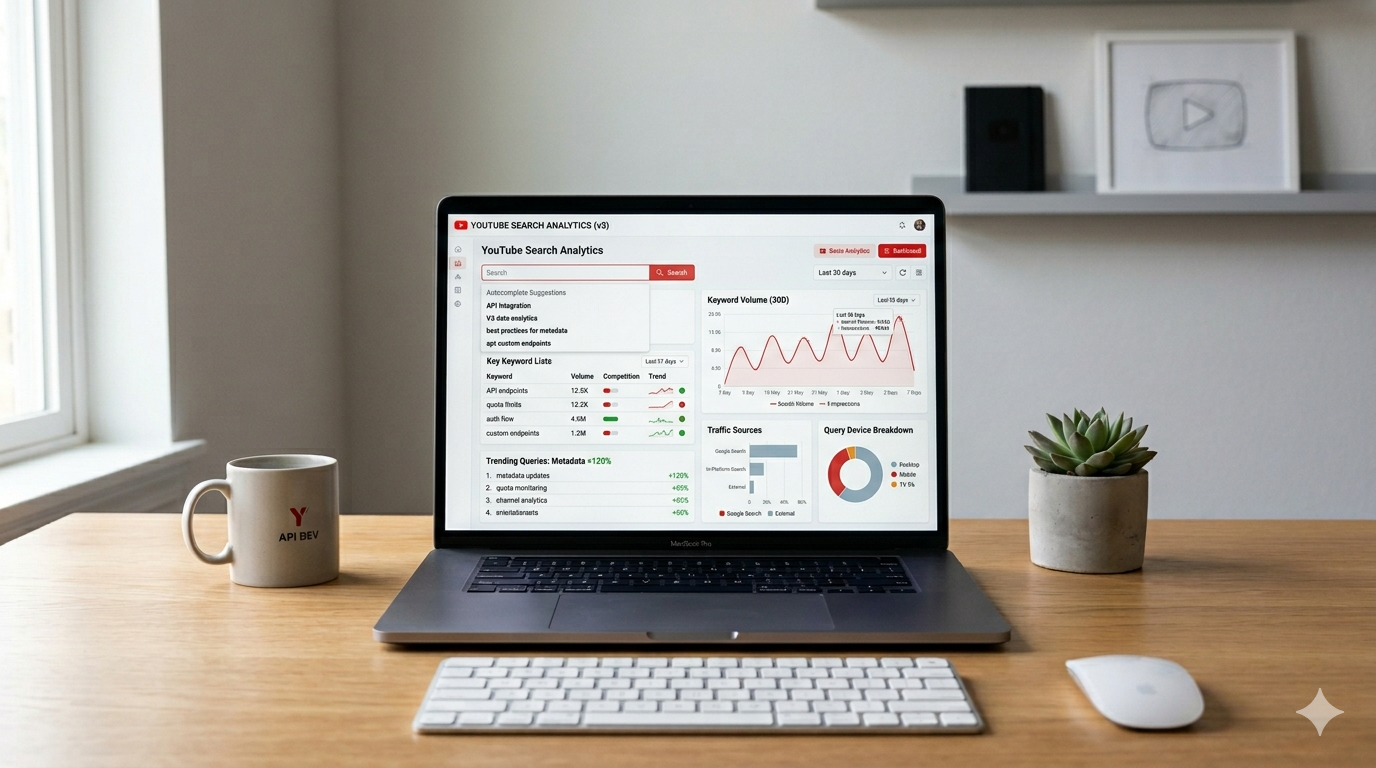
YouTube is the world's second-largest search engine — and the search data it generates every day is one of the most underused intelligence sources available to developers, marketers, SEO professionals, and content strategists. The searches people type into YouTube's search bar reveal what audiences actually want to watch, what questions they're asking, and what topics are gaining momentum in real time.
The YouTube related searches API is the programmatic gateway to that intelligence. It lets you retrieve search results, search suggestions, related queries, autocomplete data, and channel search results at scale — turning YouTube's search behavior into structured, actionable data your applications can work with.
This guide covers exactly what a YouTube related searches API is, what data it exposes, why the official YouTube Data API falls short for search intelligence use cases, how to use KeyAPI's dedicated search endpoints, and the concrete use cases that make this data genuinely valuable in 2026.
What Is a YouTube Related Searches API?
A YouTube related searches API is an interface that allows developers to programmatically retrieve YouTube search results, related query suggestions, and autocomplete data for any search term — returning structured JSON that applications can immediately consume, store, and analyze.
In practice, "YouTube related searches" refers to several distinct but related data types:
Search results — the ranked list of videos, channels, and playlists YouTube returns for any query, including their titles, view counts, publish dates, thumbnails, and channel data
Search suggestions / autocomplete — the dropdown suggestions that appear when a user types in YouTube's search bar, reflecting real search queries from YouTube's user base
Related queries — search terms that YouTube surfaces in connection with a given query, similar to Google's "Related searches" feature at the bottom of search results
Channel search results — channels that appear when users search YouTube, filtered separately from video results
Search-driven channel discovery — finding YouTube channels by keyword, topic, or niche through the search interface rather than direct URL
All of these data types share a common characteristic: they are derived from real user search behavior on YouTube, making them among the most reliable signals available for understanding what audiences actually want.
Why YouTube Search Data Is More Valuable Than Ever in 2026
YouTube search data has always been valuable for SEO and content strategy. In 2026, three converging trends have made it genuinely essential:
YouTube Is Now a Core Part of Google's AI Ecosystem
YouTube videos are increasingly surfaced in Google's AI Overviews, cited by AI search engines like Perplexity and ChatGPT, and indexed alongside web content for topic authority. As one industry analysis put it, YouTube is no longer a peripheral channel for awareness campaigns — it is a structured, searchable, multimodal data source that feeds directly into Google's most visible experiences. Understanding what people search on YouTube now has direct implications for broader search visibility, not just YouTube rankings.
70% of YouTube Views Come from Recommendations
70% of YouTube views now come from recommendations, not search. YouTube's recommendation algorithm is directly influenced by search behavior — the terms people search, the content they click, and the channels they discover through search all shape what gets recommended. Search data isn't just useful for SEO; it's a window into the recommendation engine itself.
AI Applications Need Structured Search Intelligence
The fastest-growing use case for YouTube data in 2026 is AI and LLM applications. Developers building content recommendation engines, AI research assistants, keyword intelligence tools, and competitive analysis platforms all need programmatic access to YouTube search data at scale — not one query at a time through the official API's quota-limited interface.
The Official YouTube Data API and Related Search Data: Key Gaps
Before examining what a dedicated YouTube related searches API provides, it's worth understanding what the official YouTube Data API v3 does and doesn't expose around search data.
What the Official API Does Support
The official YouTube Data API's search.list endpoint returns video, channel, and playlist results for any query. It supports filtering by upload time, video duration, content type, and sort order. This covers the basic "search for videos matching a keyword" use case reasonably well — provided you can work within its quota constraints.
The 100-Unit-Per-Search Problem
Every call to the search.list endpoint costs 100 quota units out of your daily 10,000-unit budget. With 10,000 units per day:
You can run exactly 100 search queries before exhausting your entire daily quota on searches alone
Any application monitoring 50 keywords twice daily hits the quota ceiling just from those searches — with no budget remaining for video metadata, comments, or any other operation
A keyword research tool processing 200 search terms per session fails after the first 100 queries
For any meaningful search intelligence use case — keyword research, competitive monitoring, trend tracking, content gap analysis — the official API's quota system is a hard ceiling, not just a speed bump.
What the Official API Doesn't Support at All
Search autocomplete / suggestions: The official YouTube Data API provides no endpoint for retrieving YouTube's search autocomplete suggestions. As confirmed by developers who've investigated thoroughly: YouTube does not offer an official API specifically for accessing autocomplete suggestions from the YouTube search bar. Getting this data requires either unofficial methods or third-party APIs.
Related searches: There is no official endpoint that returns the "related searches" queries YouTube shows in its interface — the algorithmically suggested follow-on queries that reveal what else users search after a given term.
Real-time search volume or trend data: The official API returns search results but provides no insight into how frequently a term is searched or how its search volume trends over time.
These gaps are exactly why dedicated third-party YouTube search APIs exist — and why they've become essential infrastructure for any serious YouTube data operation.
KeyAPI's YouTube Search Endpoints: What They Cover
KeyAPI's YouTube API provides dedicated search and discovery endpoints that cover the full landscape of YouTube search intelligence — including the data types the official API doesn't expose. Here's a complete breakdown of the search-related endpoints:
Search Channel Endpoint
The Search Channel endpoint is specifically designed for finding and researching YouTube channels through search — returning channel-type results filtered from the broader YouTube search index.
Endpoint behavior:
Returns only channel-type results — no video or playlist noise mixed in
Supports paginated retrieval via
continuation_tokenfor comprehensive channel discoveryEach page typically returns 10–20 channels with full metadata
Workflow designed for systematic channel research: first request uses the
keywordparameter; subsequent requests usecontinuation_token(keyword becomes optional)
What it returns per channel:
Channel ID and handle (
@username)Channel title and description snippet
Subscriber count and video count
Thumbnail and banner image URLs
Verification status
Channel URL
Example request:
GET https://api.keyapi.ai/youtube/search/channel?keyword=digital+marketing
Authorization: Bearer YOUR_API_KEY
Example paginated follow-up:
GET https://api.keyapi.ai/youtube/search/channel?continuation_token=TOKEN_FROM_PREVIOUS_RESPONSE
Authorization: Bearer YOUR_API_KEY
Use cases for the Search Channel endpoint:
Influencer discovery — finding relevant YouTube channels in a niche before vetting them for partnership
Competitor landscape mapping — systematically identifying all YouTube channels in a topic area
Content gap analysis — discovering which channels dominate a search term and what they publish
Directory and listing products — building curated channel databases by topic category
Creator economy tools — powering channel recommendation features in creator platforms
General Search with Filters Endpoint
The broader YouTube search endpoint returns full search results including videos, and supports advanced filtering that goes far beyond what most search use cases require:
Filter parameters:
upload_time: last hour, today, this week, this month, this yearduration: short (under 4 minutes), medium (4–20 minutes), long (over 20 minutes)type: video, channel, playlist, moviefeatures: 4K, HD, subtitles/CC, Creative Commons, live, 360°, location, HDR, VR180sort_by: relevance, upload date, view count, rating
What each result returns:
Video ID, title, description snippet
Channel name and channel ID
View count, publish date, duration
Thumbnail URLs (default, medium, high, maxres)
Verification badge status
continuation_tokenfor pagination
Example — search with filters:
GET https://api.keyapi.ai/youtube/search?keyword=python+tutorial&upload_time=this_month&duration=long&sort_by=view_count
Authorization: Bearer YOUR_API_KEY
YouTube Shorts Search Endpoint
A dedicated endpoint for YouTube Shorts — short-form videos under 60 seconds — using YouTube's native Shorts interface rather than filtering standard search results.
Shorts search behavior differs from standard search in meaningful ways: Shorts don't have descriptions, so keywords come up most often in the title of results — which changes how keyword research for Shorts should be conducted compared to long-form content. Having a dedicated Shorts search endpoint makes this distinction actionable in your data pipeline.
Search Suggestions (Autocomplete) Endpoint
Returns real-time YouTube autocomplete suggestions for any search query prefix — the data the official API doesn't expose at all.
What it returns:
10–20 autocomplete suggestions per call
Results vary by language and region settings
Response time consistently under 1 second
Reflects current trending and frequent search behavior on YouTube
Example:
GET https://api.keyapi.ai/youtube/search/suggestions?query=how+to
Authorization: Bearer YOUR_API_KEY
Sample response structure:
{
  "message": "success",
  "code": 0,
  "data": {
    "suggestions": [
      "how to make money online",
      "how to lose weight fast",
      "how to draw",
      "how to tie a tie",
      "how to invest for beginners",
      "how to get a passport",
      "how to cook rice",
      "how to write a resume",
      "how to meditate",
      "how to start a podcast"
    ]
  }
}
This data is the foundation of YouTube keyword research — it reflects what real users are typing, not what keyword tools estimate based on historical data.
Building with the YouTube Related Searches API: Practical Implementations
Implementation 1: YouTube Keyword Research Tool
The most direct application — a tool that takes a seed keyword and expands it into a comprehensive list of related search terms with supporting data.
Workflow:
Search suggestions call → seed keyword → returns 10–20 autocomplete completions
For each suggestion → recursive suggestions call → expands each suggestion into further completions
Search call → each keyword → returns video results for keyword analysis (top video titles, view counts, engagement)
Data aggregation → combine suggestions with video performance data to estimate search demand
Python skeleton:
import requests
import time

API_KEY = "YOUR_KEYAPI_KEY"
BASE_URL = "https://api.keyapi.ai"

def get_suggestions(query):
    response = requests.get(
        f"{BASE_URL}/youtube/search/suggestions",
        params={"query": query},
        headers={"Authorization": f"Bearer {API_KEY}"}
    )
    data = response.json()
    return data.get("data", {}).get("suggestions", [])

def get_search_results(keyword, max_results=10):
    response = requests.get(
        f"{BASE_URL}/youtube/search",
        params={"keyword": keyword, "type": "video"},
        headers={"Authorization": f"Bearer {API_KEY}"}
    )
    return response.json().get("data", {}).get("results", [])[:max_results]

def build_keyword_map(seed_keyword, depth=2):
    keyword_map = {}

    # Level 1: direct suggestions for seed
    level1 = get_suggestions(seed_keyword)
    keyword_map[seed_keyword] = level1

    if depth > 1:
        for kw in level1[:5]:  # Expand top 5 suggestions one level deeper
            time.sleep(0.3)
            level2 = get_suggestions(kw)
            keyword_map[kw] = level2

    return keyword_map

# Build a keyword map for a seed term
keyword_data = build_keyword_map("content marketing", depth=2)

# Get video performance data for top keywords
for keyword in list(keyword_data.keys())[:10]:
    results = get_search_results(keyword)
    if results:
        top_video = results[0]
        print(f"'{keyword}': top video = '{top_video.get('title')}' "
              f"({top_video.get('view_count', 'N/A')} views)")
    time.sleep(0.5)
Implementation 2: Competitor Channel Discovery System
Using the Search Channel endpoint to systematically map the competitive landscape in any YouTube niche.
Workflow:
Search Channel call → target keyword → returns first page of channels
Paginate → use
continuation_tokenuntilhas_more = falseEnrich → for each channel ID, call the channel description endpoint for full stats
Rank → sort by subscriber count, video count, or engagement signals
Store → save to database for ongoing monitoring
def discover_channels_by_keyword(keyword, max_pages=5):
    """Discover all YouTube channels matching a keyword via search"""
    all_channels = []
    continuation_token = None

    for page in range(max_pages):
        params = {"keyword": keyword} if not continuation_token else {}
        if continuation_token:
            params["continuation_token"] = continuation_token

        response = requests.get(
            f"{BASE_URL}/youtube/search/channel",
            params=params,
            headers={"Authorization": f"Bearer {API_KEY}"}
        )
        data = response.json()

        channels = data.get("data", {}).get("channels", [])
        all_channels.extend(channels)

        continuation_token = data.get("data", {}).get("continuation_token")
        has_more = data.get("data", {}).get("has_more", False)

        print(f"Page {page + 1}: Found {len(channels)} channels "
              f"(running total: {len(all_channels)})")

        if not has_more:
            break

        time.sleep(0.5)

    return all_channels

# Example: Map the "personal finance" YouTube landscape
finance_channels = discover_channels_by_keyword("personal finance", max_pages=5)
print(f"\nTotal channels discovered: {len(finance_channels)}")

# Sort by subscriber count
sorted_channels = sorted(
    finance_channels,
    key=lambda x: x.get("subscriber_count", 0),
    reverse=True
)

print("\nTop 10 channels by subscribers:")
for ch in sorted_channels[:10]:
    print(f"  @{ch.get('handle')} — {ch.get('subscriber_count', 'N/A')} subscribers")
Implementation 3: Content Gap Analysis Pipeline
Identifying topics where search demand exists but strong YouTube content doesn't — the content opportunity that keyword research tools miss.
Logic:
High search suggestions frequency = people are searching this
Low view counts on top-ranking videos = weak existing content coverage
Gap = content opportunity
def find_content_gaps(niche_keywords):
    """Identify high-demand, under-served YouTube topics"""
    gaps = []

    for keyword in niche_keywords:
        # Get suggestions to confirm search demand
        suggestions = get_suggestions(keyword)

        # Get search results to assess competition quality
        results = get_search_results(keyword, max_results=5)

        if not results:
            continue

        # Calculate average views of top 5 videos
        view_counts = [r.get("view_count", 0) for r in results if r.get("view_count")]
        avg_views = sum(view_counts) / len(view_counts) if view_counts else 0

        # Low avg views on top results = potential content gap
        if avg_views < 50000 and len(suggestions) >= 5:
            gaps.append({
                "keyword": keyword,
                "suggestions_count": len(suggestions),
                "avg_top_5_views": int(avg_views),
                "top_video_title": results[0].get("title") if results else None,
                "opportunity_score": len(suggestions) * (1 / max(avg_views, 1)) * 1000000
            })

        time.sleep(0.5)

    # Sort by opportunity score
    return sorted(gaps, key=lambda x: x["opportunity_score"], reverse=True)
Implementation 4: Real-Time Trend Monitoring Dashboard
A scheduled job that monitors search suggestion changes over time — detecting emerging trends before they peak.
Logic: Run suggestions calls on a set of seed keywords daily. Store the suggestions over time. When a new suggestion appears that wasn't in the previous day's results, flag it as an emerging trend.
import json
from datetime import datetime

def monitor_trends(seed_keywords, storage_file="trend_data.json"):
    """Track suggestion changes daily to detect emerging trends"""

    # Load previous data
    try:
        with open(storage_file, "r") as f:
            historical_data = json.load(f)
    except FileNotFoundError:
        historical_data = {}

    today = datetime.now().strftime("%Y-%m-%d")
    new_trends = []

    for keyword in seed_keywords:
        current_suggestions = set(get_suggestions(keyword))
        previous_suggestions = set(
            historical_data.get(keyword, {}).get("last_suggestions", [])
        )

        # Detect new suggestions that appeared today
        emerging = current_suggestions - previous_suggestions
        if emerging:
            new_trends.append({
                "seed_keyword": keyword,
                "emerging_suggestions": list(emerging),
                "detected_date": today
            })

        # Update storage
        historical_data[keyword] = {
            "last_suggestions": list(current_suggestions),
            "last_updated": today
        }
        time.sleep(0.3)

    # Save updated data
    with open(storage_file, "w") as f:
        json.dump(historical_data, f, indent=2)

    return new_trends
Use Cases by Audience Type
For SEO Professionals and Content Strategists
YouTube search data is now a first-class input for broader search strategy. The brands that win are aligning keyword research, topic clustering, and measurement across web and video, then feeding those insights back into content roadmaps.
The Search Channel endpoint combined with the suggestions endpoint gives SEO teams a complete picture: which terms have search demand on YouTube, which channels are ranking for those terms, and what content format is performing — all without the quota overhead of the official API.
For Influencer Marketing Teams
The Search Channel endpoint is purpose-built for influencer discovery at scale. Rather than manually searching YouTube for creators in a niche, teams can programmatically retrieve all channels surfacing for target keywords — then filter by subscriber count, video frequency, and engagement signals. This mirrors how brands use the TikTok API for influencer performance tracking — systematic discovery via API rather than manual platform browsing.
For Product Teams Building YouTube-Integrated Tools
Any product that surfaces YouTube content to users — whether a research tool, a content planning platform, a competitive intelligence dashboard, or a creator analytics product — needs reliable search data infrastructure. KeyAPI's search endpoints provide that infrastructure with 99.9% uptime SLA and under 500ms average latency, without the quota management overhead of the official API.
For AI and Data Engineers
Search suggestion data is a high-signal training and context source for AI applications. The autocomplete suggestions reflect real, current search intent — more current than static keyword databases and more representative of actual user behavior than manually curated datasets. Feeding search suggestion data into RAG pipelines, topic modeling systems, and content recommendation engines gives AI applications grounding in what audiences are actually looking for.
This extends naturally to the broader YouTube data work covered in our YouTube video content extraction API guide — search discovery and content extraction are complementary parts of the same data pipeline.
How YouTube Search Suggestions Are Generated
Understanding how YouTube generates its search suggestions helps explain why the data is so valuable — and why having programmatic access to it matters.
YouTube's autocomplete suggestions are generated by a machine learning system that analyzes:
Real search query frequency — terms people actually type, weighted by recency
Completion patterns — the most common ways users complete partial queries
Regional and language signals — suggestions vary by location and language settings, reflecting local search behavior
Trending signals — queries gaining search volume recently receive a ranking boost in suggestions
Personalization — for logged-in users, personal history influences suggestions; the API data reflects aggregate/unbiased suggestions
The result is that YouTube autocomplete data is both a frequency signal (popular searches surface as suggestions) and a trend signal (emerging searches appear in suggestions before they're captured in static keyword databases). This dual value makes it particularly useful for content strategy work where timing matters.
YouTube Related Searches vs. Google Related Searches: Key Differences
A common point of confusion: YouTube search data and Google search data reflect different user populations and intent, even for the same keywords.
Intent differences: YouTube search intent is almost always video content intent — users expect to watch something. Google search intent is more varied (information, navigation, transaction). A keyword like "how to change a tire" has similar search volume on both platforms, but the YouTube audience wants a walkthrough video, while the Google audience might be satisfied with a text guide.
Trend differences: Topics can trend on YouTube before they trend on Google — particularly in entertainment, gaming, music, tutorials, and creator-driven content categories. YouTube search suggestions often surface emerging topics earlier than Google keyword tools.
Demographic differences: YouTube skews younger than Google's general search population. YouTube search data reflects the interests and vocabulary of a younger, more video-native audience — which matters for brands targeting Gen Z and Millennials, the largest YouTube consumer groups.
Volume differences: YouTube processes over 3 billion searches per month. While smaller than Google's total search volume, YouTube is specifically the second-largest search engine for video intent — making its search data highly relevant for any video-first content strategy.
Frequently Asked Questions
Is there an official YouTube API for related searches and autocomplete? No. The official YouTube Data API v3 does not provide an endpoint for autocomplete suggestions or related search queries. These data types are only accessible through unofficial methods or third-party APIs like KeyAPI's YouTube search suite.
How is the KeyAPI YouTube Search Channel endpoint different from a general YouTube search? The Search Channel endpoint filters results to return only YouTube channels — no videos, playlists, or other content types mixed in. This makes it purpose-built for channel discovery, influencer research, and competitive landscape mapping, rather than requiring client-side filtering of mixed search results.
How many results does the Search Channel endpoint return per page? Each page typically returns 10–20 channels. Use the continuation_token from each response to retrieve subsequent pages until has_more returns false.
Can I search for channels in specific languages or regions? Yes — the search endpoints support language and region parameters that influence which results are returned, mirroring YouTube's native regional search behavior.
How current are the search suggestions returned by the API? Search suggestions are fetched in real time from YouTube at the moment of your API request. They reflect current trending and frequent search behavior — not cached data from days or weeks ago.
How does this API handle the official YouTube Data API quota problem? KeyAPI's YouTube API operates independently of Google's quota system entirely. There are no daily unit caps — requests consume credits from your KeyAPI plan, not from a Google Cloud project quota. This makes sustained, high-volume search operations practical for production applications.
What's the difference between search suggestions and trending videos? Search suggestions reflect what users are searching for (query intent). Trending videos reflect what content is currently achieving high engagement. Both are valuable but for different purposes — suggestions for keyword/topic research, trending for content performance monitoring. KeyAPI's YouTube API provides both: the search suggestions endpoint for query intelligence and a dedicated trending videos endpoint for performance monitoring.
Summary
The YouTube related searches API is one of the most strategically valuable and least officially supported data types in the YouTube ecosystem. Search suggestions, channel search results, and related queries reveal real user intent — what audiences want to watch, what creators are gaining traction in a niche, and what topics are emerging before they peak — with the kind of timeliness and behavioral authenticity that static keyword databases can't match.
The official YouTube Data API v3 covers basic search results but misses autocomplete suggestions entirely, charges 100 quota units per search query, and provides no dedicated channel search filtering. For any application that needs YouTube search intelligence at scale — keyword research tools, competitive intelligence platforms, influencer discovery systems, trend monitoring dashboards, AI content pipelines — a dedicated third-party YouTube search API removes these constraints.
KeyAPI's Search Channel endpoint and search suite provide the full stack: channel search, video search with advanced filters, search suggestions, YouTube Shorts search, and trending content — all returning clean JSON with no quota management required.
Get your API key and start with 100 free requests →
Related Reading
YouTube Video Content Extraction API: Complete Guide — everything you can extract from YouTube videos via API: metadata, stream URLs, comments, and more
YouTube API Key: Complete Guide — how to get and manage YouTube API credentials, understand quota limits, and know when to use third-party APIs
What Is the TikTok API? — how TikTok's developer platform compares to YouTube's for video data and search intelligence
TikTok API Influencer Performance Tracking — cross-platform creator discovery and vetting via API
How to Use the TikTok API for Marketing Automation — automation workflows that pair naturally with YouTube search intelligence
How to Fetch TikTok User Data and Video Metrics via API — TikTok data extraction for cross-platform video analytics
Top Use Cases for the TikTok API in E-Commerce — video platform API strategies for e-commerce brands
TikTok Shop API Integration Guide for Sellers — commerce API integration across video platforms
What Is the Instagram API? — Instagram's API ecosystem compared to YouTube's for search and discovery
Instagram API Follower Count Guide — cross-platform audience measurement via APIs