YouTube Video Content Extraction API: Extract Data 2026

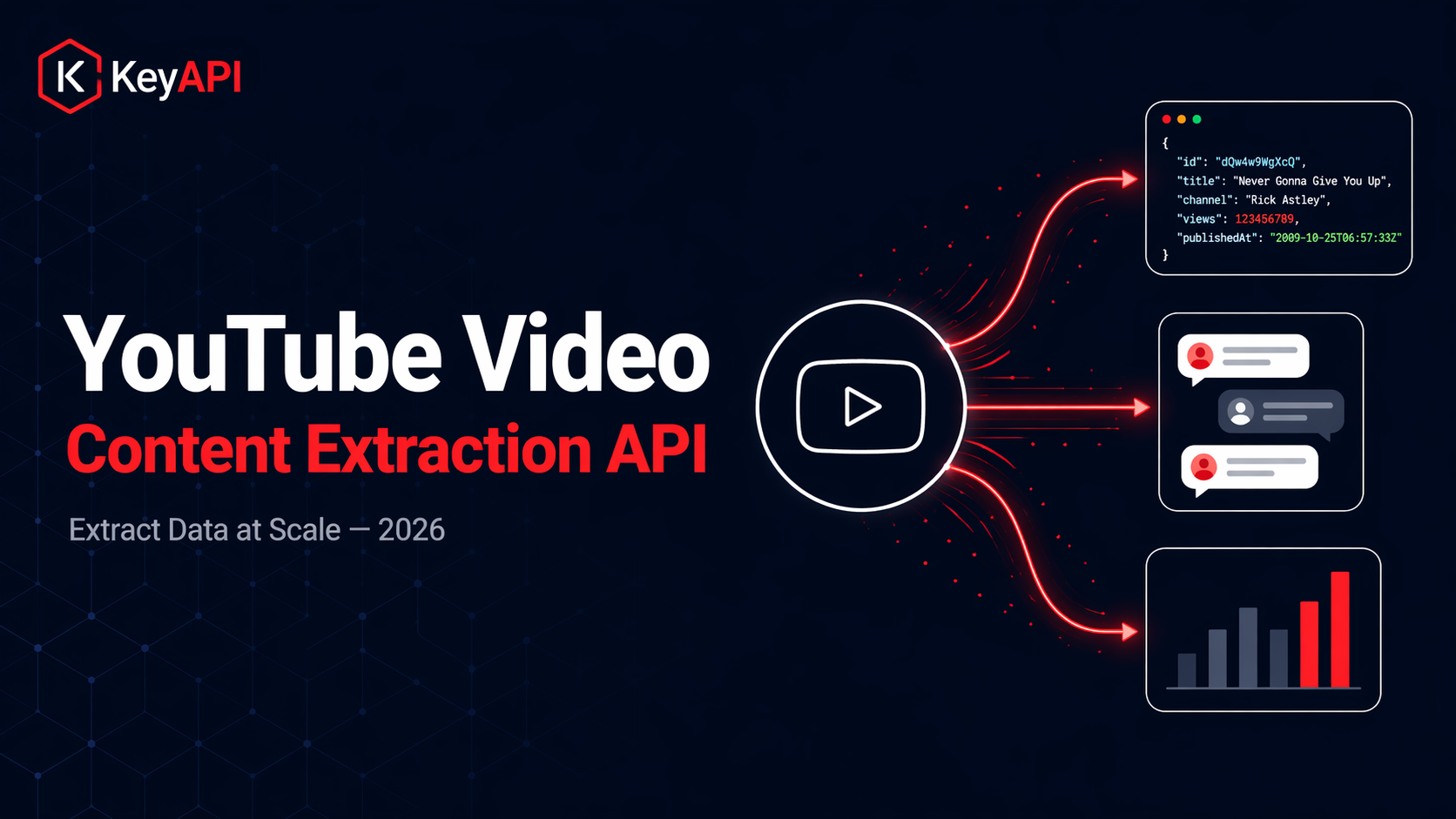
YouTube hosts over 800 million videos. Every minute, 500 more hours of content are uploaded. Behind every video sits a wealth of structured data — titles, descriptions, view counts, engagement metrics, comment threads, channel information, trending signals, and more.
For developers building content intelligence tools, AI training pipelines, competitive analysis platforms, or creator analytics dashboards, extracting this data programmatically is essential. But YouTube's official Data API v3 comes with strict daily quota limits (10,000 units per day by default), complex OAuth requirements, and restrictions that make large-scale extraction impractical.
This is where a YouTube video content extraction API comes in. At KeyAPI, we provide 17+ YouTube endpoints across 3 data categories — video, channel, and search — all returning clean, structured JSON with no quota management required. This guide covers what video content extraction involves, what data you can pull, how KeyAPI's YouTube API works, and the use cases it powers.
The Problem with YouTube's Official Data API
YouTube's Data API v3 is the official way to access YouTube data programmatically. It's well-documented, stable, and returns structured data. But for any use case beyond basic, low-volume queries, it has significant limitations.
Strict quota limits. Every request costs "quota units," and the default daily limit is 10,000 units. A simple video metadata request costs 1 unit, but a search request costs 100 units. At that rate, you can only run 100 search queries per day before hitting the ceiling. Requesting a quota increase requires a formal application to Google with no guaranteed approval.
Complex setup. Accessing even public video metadata requires creating a Google Cloud project, enabling the YouTube Data API, generating API keys, and managing key security. For teams that just need to read public data, this is unnecessary overhead.
Limited engagement data. The official API returns view counts and like counts, but detailed engagement analytics, real-time trending data, and granular performance metrics are limited or require additional authentication.
No comment mining at scale. Fetching comments through the official API consumes quota rapidly. Extracting full comment threads with replies for sentiment analysis or audience research quickly exhausts your daily allocation.
Rate limits beyond quota. Beyond the daily quota, there are per-second rate limits that are poorly documented and can cause intermittent failures in production applications.
For teams building at scale — AI training datasets, competitive analysis tools, content intelligence platforms, or creator research applications — these limitations make the official API impractical as a primary data source.
What Is a YouTube Video Content Extraction API?
A YouTube video content extraction API provides programmatic access to YouTube's publicly available data through simple REST API calls — without the quota restrictions, OAuth complexity, or setup overhead of the official Data API.
At its core, it does what the name suggests: it extracts structured content data from YouTube videos, channels, and search results, and returns it as clean JSON that your application can immediately consume.
The key difference from the official API is operational simplicity. No Google Cloud project required. No quota units to manage. No OAuth flows for public data. Just an API key, an endpoint, and a request.
KeyAPI's YouTube API is built on this principle. You get real-time, accurate data directly from YouTube through 17+ endpoints — video metadata, comments, channel analytics, search results, trending content, Shorts, and stream information — all accessible with a single API key and a straightforward credit-based pricing model.
What Data Can You Extract?
KeyAPI's YouTube API provides comprehensive data extraction across three categories.
Video Data (13 Endpoints)
This is the core of video content extraction. For any public YouTube video, you can pull detailed video information including title, description, view count, like count, comment count, duration, publish date, tags, category, thumbnail URLs, and the full raw data from YouTube's playerResponse and initialData structures.
You can extract full comment threads with paginated retrieval. First, call the video comments endpoint to get top-level comments. Then use the reply continuation token from each comment to fetch the nested reply threads. This two-step process gives you complete comment data — author names, comment text, like counts, timestamps, and reply chains — structured and ready for sentiment analysis, audience research, or community intelligence.
The general search endpoint supports advanced filtering by upload time, video duration, content type, features, and sort order. There's also a dedicated YouTube Shorts search endpoint specifically optimized for finding short-form content using YouTube's native API.
You can retrieve a channel's video list with paginated retrieval using continuation tokens, get related video recommendations (the 20–30 videos YouTube suggests alongside any given video), and access search autocomplete suggestions — the same suggestions shown when typing in YouTube's search box.
The video streams endpoint returns format information and playback URLs for all quality levels — both standard merged formats and adaptive separate audio/video streams. This is useful for applications that need to display quality options or process video content. Note that playback URLs are time-limited (approximately 6 hours).
Channel Data (4 Endpoints)
For any public YouTube channel, you can extract the channel description, view count, subscriber count, join date, social links, featured sections, banner images, and video count. The channel endpoint uses a two-call approach: the first call with a channel ID returns basic info, and a second call with a continuation token returns advanced data including join date, social links, and featured sections.
KeyAPI also provides utility endpoints for converting between channel formats — getting a channel ID from a URL (supporting @username, /channel/, /c/, and /user/ formats) and getting a channel handle from an ID.
Search and Trending Data
The search endpoints let you find videos and channels by keyword with full filtering support. The trending videos endpoint provides access to YouTube's trending feed by region and category — essential for content intelligence and trend monitoring applications.
How KeyAPI's YouTube API Works
Getting started takes minutes, not days. Here's the process.
Step 1: Get your API key. Register at keyapi.ai and receive 100 free API credits immediately. No credit card required.
Step 2: Make your first request. Send a GET request to any YouTube endpoint with your API key in the Authorization header. For example, to get video information:
GET https://api.keyapi.ai/youtube/video/info?video_id=dQw4w9WgXcQ
Authorization: Bearer YOUR_API_KEY
Step 3: Receive structured JSON. Every response returns clean, structured JSON with a consistent format — a message field confirming success, a code field for status, and a data object containing the requested information.
A typical video info response includes the video ID, title, channel name, view count, like count, comment count, and duration — along with the full raw data for applications that need deeper metadata.
No quota management. Unlike the official YouTube API, there are no daily quota units to track. Each endpoint costs credits (most cost just 1 credit), and you purchase credits on a pay-as-you-go basis. Credits never expire.
Real-time data. When you make a request, KeyAPI fetches the latest information available from YouTube. No caching delays, no stale data.
99.9% uptime SLA and sub-500ms average latency ensure your applications stay fast and reliable in production.
Use Cases for YouTube Video Content Extraction
Creator and Channel Research
Analyze any YouTube channel's growth trajectory, upload frequency, and top-performing videos. Identify rising creators before they peak. Pull subscriber counts, view trends, and content patterns to understand what's driving a creator's success.
For teams building influencer marketing platforms that span both YouTube and TikTok, KeyAPI provides unified access to both platforms through the same API key. See our guide on how brands track influencer performance for cross-platform creator analytics strategies.
Video Intelligence and Content Analysis
Pull video metadata, view counts, like ratios, and comment sentiment at scale. Power recommendation engines, content discovery tools, and AI-powered content analysis systems. Identify which video formats, lengths, titles, and thumbnails drive the highest engagement in any niche.
Competitive Analysis
Benchmark your channel against competitors. Track subscriber growth, engagement rates, upload frequency, and content strategy across any public YouTube channel. Identify content gaps and opportunities by analyzing what performs well for competitors but isn't covered in your content library.
Audience and Comment Mining
Extract full comment threads with reply chains for sentiment analysis, audience research, and community intelligence. Identify the most engaged viewers, surface frequently asked questions, detect brand mentions, and analyze audience sentiment toward specific topics, products, or creators.
Comment mining at scale is one of the most quota-intensive operations on the official YouTube API. KeyAPI's credit-based model makes it practical to extract thousands of comment threads without hitting daily limits.
AI Training and Dataset Building
Build training datasets with video metadata, descriptions, tags, comments, and engagement signals for AI/ML models. KeyAPI's structured JSON output is designed for direct ingestion into AI training pipelines — no additional parsing or transformation required.
For teams building AI agents that need social media data across multiple platforms, KeyAPI's AI Agent First architecture is purpose-built for LLM pipelines and autonomous systems. The same API key that accesses YouTube data also provides access to TikTok (70+ endpoints), Instagram, Twitter/X, LinkedIn, Reddit, and 15+ other platforms.
SEO and Content Strategy
Analyze YouTube search results and trending content to identify high-opportunity keywords and topics. Study which titles, descriptions, and tags correlate with higher rankings and engagement. Use search suggestion data to discover what audiences are actually searching for — valuable intelligence for both YouTube content strategy and broader SEO planning.
Brand Monitoring
Track mentions of your brand, products, or industry keywords across YouTube video titles, descriptions, and comment threads. Surface negative sentiment early, identify brand advocates, and monitor how your brand appears in creator content across the platform.
Trend Intelligence
Access YouTube's trending video feeds by region and category to identify emerging trends, viral content patterns, and cultural moments in real time. Combine with trending data from TikTok and other platforms through KeyAPI's unified API for comprehensive cross-platform trend intelligence.
KeyAPI YouTube API vs. YouTube Data API v3
Here's a direct comparison to help you decide which approach fits your needs.
Quota limits. YouTube Data API v3 enforces a strict 10,000 unit daily quota (default), where a single search costs 100 units. KeyAPI has no daily quota — you pay per credit, and credits never expire.
Setup complexity. The official API requires a Google Cloud project, API enablement, key management, and potentially OAuth configuration. KeyAPI requires registration and an API key — setup takes under 2 minutes.
Public data access. Both APIs access public YouTube data. The official API requires an API key even for public data reads. KeyAPI similarly requires an API key but without the Google Cloud overhead.
Comment extraction. The official API's quota makes large-scale comment mining impractical (each comment page costs quota units). KeyAPI's credit model makes extracting thousands of comment threads feasible.
Search volume. At 100 quota units per search, the official API limits you to ~100 searches per day. KeyAPI allows as many searches as your credit balance supports.
Multi-platform access. The official YouTube API only covers YouTube. KeyAPI's same API key provides access to 20+ platforms — TikTok, Instagram, Twitter/X, LinkedIn, Reddit, Amazon, Pinterest, and more.
Shorts support. KeyAPI provides a dedicated YouTube Shorts search endpoint. The official API has limited Shorts-specific functionality.
Streaming data. KeyAPI's video streams endpoint returns playback URLs for all quality levels. The official API doesn't provide direct stream access.
Reliability. The official API is backed by Google's infrastructure but subject to quota exhaustion. KeyAPI provides a 99.9% uptime SLA with sub-500ms latency.
When to use the official API: When you need to upload videos, manage playlists, or perform write operations on YouTube accounts you own. The official API is the only option for account management and content publishing.
When to use KeyAPI: When you need to read public YouTube data at scale — video metadata, comments, channel analytics, search results, trending content, or Shorts data — without quota restrictions or complex setup.
Building with KeyAPI's YouTube API
Here's a practical architecture for integrating YouTube video content extraction into your application.
Data Collection Layer
Set up API calls to KeyAPI's YouTube endpoints based on your use case. For one-time data pulls (researching specific videos or channels), make direct API calls as needed. For ongoing monitoring (tracking channel growth, analyzing comment sentiment over time), build a scheduled polling system that fetches data at regular intervals and stores each snapshot.
Use continuation tokens for paginated data. Comments, channel videos, and search results all support pagination — your first request returns an initial batch plus a continuation token, and subsequent requests use that token to fetch additional pages.
Storage Layer
Store raw API responses with timestamps for historical analysis. YouTube engagement metrics change constantly — a video's view count today is different from tomorrow. By storing snapshots over time, you can calculate growth rates, engagement velocity, and performance trends.
For architecture guidance on building analytics dashboards with API data, see our guide on building a TikTok analytics dashboard — the same patterns (polling, storage, processing, visualization) apply to YouTube data.
Processing Layer
Transform raw data into actionable insights. Calculate engagement rates (likes + comments / views), analyze comment sentiment using NLP, identify trending topics from search data, and benchmark channel performance against competitors.
Presentation Layer
Serve processed data through dashboards, reports, or your own API. Whether you're building a SaaS analytics tool, an internal competitive intelligence dashboard, or a client reporting platform, the presentation layer turns raw extracted data into business decisions.
Cross-Platform Content Intelligence
YouTube rarely exists in isolation. Most brands and creators publish across YouTube, TikTok, Instagram, Twitter/X, and other platforms simultaneously. Understanding content performance requires data from all of them.
This is where KeyAPI's unified approach delivers the most value. The same API key that accesses YouTube data provides access to TikTok (70+ endpoints including Shop and creator data), Instagram (profiles, posts, Reels, Stories, followers), Twitter/X, LinkedIn, Reddit, Amazon, Pinterest, Threads, and more.
Instead of managing separate API integrations for each platform — each with its own authentication, rate limits, and data formats — you build one integration and access everything. This makes it possible to compare a creator's YouTube performance against their TikTok and Instagram metrics, track how content performs across platforms, and build truly cross-platform analytics dashboards — all from a single data source.
For e-commerce brands, combining YouTube data with TikTok Shop data provides a complete view of how video content drives commerce across both platforms.
Getting Started with KeyAPI
Getting up and running with KeyAPI's YouTube API takes three steps:
1. Register for free at keyapi.ai. You'll receive 100 free API credits immediately — no credit card required.
2. Explore the documentation. KeyAPI's API docs cover every endpoint with request parameters, response schemas, and example calls. All 17+ YouTube endpoints are documented with sample responses.
3. Make your first call. Pick an endpoint, pass your API key, and receive structured JSON. Most endpoints cost just 1 credit. Start with the video info endpoint to pull metadata for any YouTube video, then expand to comments, channels, search, and trending data as your needs grow.
Pricing is simple: Free tier gives you 100 credits. Basic plan is $59 for 20,000 credits. Pro plan is $199 for 100,000 credits. Ultra plan is $699 for 500,000 credits. Credits never expire, and there are no monthly subscription fees — you pay for what you use.
Final Thoughts
YouTube video content extraction is a foundational capability for any application that works with video data — from AI training pipelines and creator analytics platforms to competitive intelligence tools and content recommendation engines.
YouTube's official Data API v3 serves basic needs well, but its quota limits, complex setup, and restricted feature set make it impractical for large-scale extraction. KeyAPI removes these barriers with 17+ quota-free endpoints, sub-500ms latency, real-time data, and the added benefit of unified access to 20+ platforms through a single API key.
The data is there. 800 million videos and counting. The question is whether your tools can keep up.
Start with 100 free credits at keyapi.ai and see for yourself.