Unified Social Media API: How to Access TikTok, YouTube, Threads, and More in One Workflow


You can use a unified social media api to reach TikTok, YouTube, Threads, and other big platforms in one spot. This way, you do not have to deal with the problems of using each social media api by itself, like spending a lot of money on engineers, fixing things all the time, and handling hard privacy rules.
Making and fixing different api connections takes weeks and costs more every year.
User data gets split up on social networks, so it is hard to study and make things personal.
Different privacy rules mean you need more tools to follow the rules.
With a unified social media api, your work gets easier and you can reach all your media channels faster. Unified Social Media API: How to Access TikTok gives you one way to handle your social media with less work.
Key Takeaways
A unified social media API makes it easy to use many platforms like TikTok, YouTube, and Threads. This saves you time and makes things less confusing.
When you use one API, you only need to learn one system. This helps you avoid trouble with different data types and logins.
Real-time data sync and privacy tools help you follow rules like GDPR and CCPA. These tools help you handle your social media data safely.
Pick a trusted unified API provider to make your social media work easier. This can also help you get better analytics.
Always look for updates and changes in API rules. This helps your system keep working and stay within the rules.
What Is a Unified Social Media API?
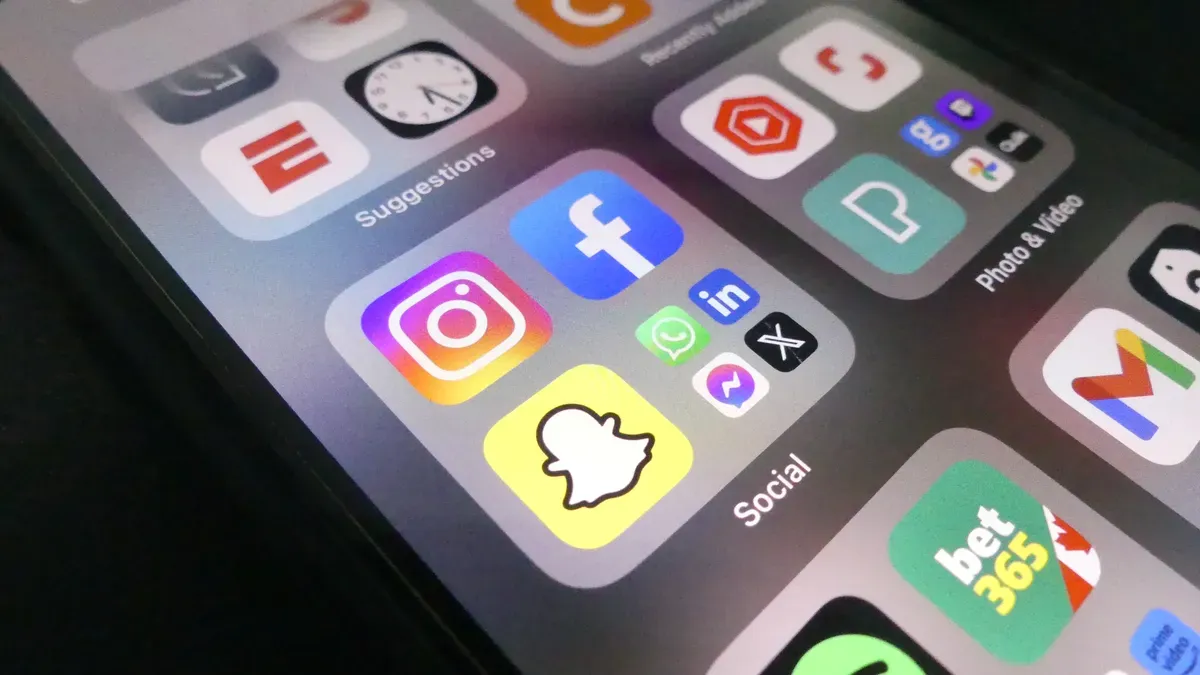
Unified API Overview
A unified social media api lets you connect to many platforms in one place. You do not need to learn each official api for TikTok, YouTube, or Threads. You use one REST interface that hides the hard parts. This means you do not worry about different data formats. You do not deal with confusing login steps. You do not get unique error messages from every api. The system makes all social media apis act the same way.
If your team gets bigger, using single-platform apis can slow you down. Each new platform needs more code and more time fixing things. You also have more rules to follow. A unified social media api lets you write code once and use it everywhere. This helps you avoid problems and lets you build features that matter.
A unified api does not replace official apis. It sits on top of them and makes your work easier. If you only use one platform, you may not need a unified api. Teams with many social channels or who want to grow fast will get the most help.
Abstraction keeps you safe from the hard parts of each official api.
Data standardization gives you the same format for posts, analytics, and user info.
Simplified authentication means you log in once for all platforms.
Benefits for Multi-Platform Access
A unified social media api makes posting, tracking analytics, and getting data much easier. You can publish content to TikTok, YouTube, and Threads with one call. You do not need to manage different passwords. You do not worry about rate limits for each api. This saves you time and reduces mistakes.
Feature | Benefit |
|---|---|
Streamlined data aggregation | You save time by connecting once instead of many times. |
Faster access to analytics | You get quick insights from all platforms in one place. |
Consistent publishing | You keep your schedule on track with less manual work. |
You also get real-time data sync, so your analytics stay up to date. Privacy tools help you follow rules like GDPR and CCPA. If you want to automate your social media workflows, a unified api helps you do that with less effort. This is great for businesses that want to grow and keep their social media data safe and organized.
Unified Social Media API: How to Access TikTok
TikTok API Access Steps
You can connect TikTok to your unified social media api: how to access tiktok by following a clear process. This helps you manage your social media in one place. Here are the steps you need to take:
Apply for api access. You must tell TikTok about your app, what it does, and how you plan to use it. After you finish, TikTok will give you your app ID and secret.
Set up authentication. Use OAuth 2.0 to log in safely. You will visit the TikTok login page and handle the callback to get your access tokens.
Learn about the api endpoints. Each endpoint has its own rules, like what information you need to send and what you get back.
Build your integration. You can use any programming language you like. You might want to get user data, post videos, or check ad performance.
Test your connection. Make sure everything works and follows TikTok’s rules. Fix any problems you find.
Keep improving. Watch how your integration works. Ask users for feedback. Use TikTok’s api to make your workflow better.
Tip: Always check your access tokens. They can expire without warning. If you do not refresh them, your connection to TikTok will stop working.
TikTok Developer Portal Approval
You must use the TikTok Developer Portal to get started with unified social media api: how to access tiktok. The approval process is important for keeping your social media data safe. Here is what you need to do:
Create a developer account on the TikTok Developer Portal.
Register your application. Describe what your app does and why you need api access.
Submit your app for review. TikTok will check your request. This can take a few days.
Verify your account. TikTok may ask for more details to make sure you follow their rules.
Wait for permission approval. You cannot use the official apis until TikTok says yes.
If you want to use the Content Posting api, you must finish all these steps. Sometimes, the review can take up to a week. There is no guarantee that TikTok will approve your app. You should plan for this when you set up your unified social media api: how to access tiktok.
Supported TikTok Data and Actions
When you use a unified social media api: how to access tiktok, you can reach many types of TikTok data. You can also do important actions for your social media workflow. Here is a table that shows what you can get and do:
Data Type | Description |
|---|---|
Products | See product info, prices, images, and categories for TikTok Shop. |
Orders | Track order status, inventory, amounts, and times. |
Customers | Get basic customer data linked to orders. |
Shipping & Fulfillment | Check delivery info, tracking, and shipment status. |
You can also post videos, get video metrics, and manage your creator profile. The unified social media api helps you collect analytics, see how your videos perform, and keep your creator profile up to date. You can use this data to improve your social media strategy.
Note: Some data is not available through the official apis. For example, you cannot get audience demographic data. This can make influencer marketing harder. Also, TikTok does not have native webhooks. You may need to set up a polling system to get updates.
You can use the unified social media api: how to access tiktok to post videos, fetch video metrics, and manage your creator profile. This makes your social media workflow smoother and helps you keep all your media data in one place.
Multi-Platform API Integration Guide

Choosing a Unified API Provider
You need to pick a provider that works with the platforms you want. Some top unified social media api providers are:
Phyllo: Lets you connect to more than 10 platforms, like YouTube and TikTok. It makes data easy to use in dashboards.
Mallary Blog: Shows that unified apis can give you access to over 10 platforms. This means you do not have to fix things as much.
Zernio: Works with 15 platforms, such as Discord and WhatsApp. It is good for developers who want to automate and check influencer analytics.
A good provider helps you compare platforms in your dashboard. This makes influencer analytics and reporting much easier.
Account Setup and Authentication
You must set up your account and use safe authentication. Most unified social media apis use these methods:
Authentication Method | Description |
|---|---|
OAuth 2.0 | Lets you use official apis without sharing your password. |
API Keys | Simple tokens for making your api requests safe. |
Use safe authentication, encrypt your requests, and follow each platform’s best rules.
For internal tools, you might use one api key. For SaaS, you may need profile keys or OAuth. The provider often handles the OAuth steps, so you do not need to do everything.
Connecting YouTube, Threads, and More
You can connect YouTube, Threads, and other platforms to your unified social media api. For example:
Service | Description |
|---|---|
Postproxy | Lets you upload YouTube videos, thumbnails, and set privacy with one api call. |
Ayrshare | Lets you post and get analytics from Threads. This makes influencer analytics and reporting simple. |
You can manage all your social media apis from one dashboard. This helps you track analytics and influencer analytics across platforms.
Workflow Example: Posting and Fetching Data
A unified social media api gives you one interface for posting and getting data. You do not need to learn each official api. You can post content, get analytics, and update your dashboard with one call. Here is a sample workflow for posting a YouTube video:
const response = await fetch('https://api.posteverywhere.com/v1/posts', {
  method: 'POST',
  headers: {
    'Authorization': 'Bearer YOUR_API_KEY',
    'Content-Type': 'application/json'
  },
  body: JSON.stringify({
    platforms: ['youtube'],
    content: {
      title: 'How to Build a REST API in 10 Minutes',
      description: 'Step-by-step tutorial covering Express.js setup, routing, and deployment.',
      tags: ['api', 'rest api', 'tutorial', 'express'],
      videoUrl: 'https://storage.example.com/video.mp4'
    },
    scheduledAt: '2026-04-20T15:00:00Z'
  })
});
const post = await response.json();
console.log('Scheduled:', post.id);
This code shows how you can send video data and details to the unified api. You can also get analytics and influencer analytics for your dashboard and reporting. This makes influencer analytics easy and keeps your social media data organized.
Features and Limitations of Unified APIs
Supported Actions by Platform
A unified api lets you handle many social media apis together. You can post things, answer comments, and check influencer analytics on different platforms. You get to use official apis for TikTok, YouTube, and Threads. But each platform has its own rules you must follow. Here is a table that shows what you can do:
Action Type | Supported Platforms | Limitations |
|---|---|---|
Comment Workflows | YouTube, Instagram, Facebook, Threads, LinkedIn, Reddit, Mastodon, Bluesky, TikTok | Twitter/X not supported; TikTok has limited capabilities; moderation varies by platform. |
Reply to Comments | Yes, for supported platforms and permissions | Behavior depends on the native platform. |
Moderation Workflows | Yes | Actions vary by platform; does not override native rules. |
You can use the api to post videos and manage your creator profile. You can also collect influencer analytics. You get normalized numbers for engagement rate and creator performance. Normalization helps you compare analytics from different platforms. Data normalization gives you the same format for posts, comments, and account data. This makes it easier to study engagement and influencer analytics.
Teams that want to track influencer analytics and engagement rate across platforms get the most help from unified apis. If you only use one platform, you may not need normalization or data aggregation. Single-platform apis are better for simple needs.
Platform-Specific Restrictions
Every platform has its own api rules. You must use the official apis for TikTok, YouTube, and Threads. TikTok makes you use OAuth 2.0 and register your app in the developer portal. You must keep your credentials safe and get user consent before posting videos or using account data.
Note: You must follow TikTok’s rules. If you do not, you could lose api access or get in trouble.
You cannot use the api to get every kind of social media data. Some platforms limit what you can see. For example, TikTok does not let you get all audience data or set up webhooks. You have to use polling to get updates. Some features, like advanced moderation or special engagement analysis, may not work the same everywhere.
You must also follow privacy laws and get clear user consent. This keeps influencer analytics and account data safe. Normalization helps you compare engagement rate and analytics, but you might lose some special features from each platform. Always check the official apis for the newest rules.
Unified apis help you manage social media data and influencer analytics with less effort. You get normalized numbers, but there are some limits. Teams with many platforms and complex needs get the most help. Small teams with simple needs may not need unified apis.
Best Practices for API Management
Efficient Workflow Tips
You can make your unified social media api work better by following some easy steps. First, read the documentation before you start building. This helps you learn each platform’s rules and avoid mistakes in your dashboard. Only connect the social accounts your app really needs. For example, if your influencer dashboard is for YouTube and Threads, do not add TikTok unless you need it. This keeps your api setup simple and lowers risks.
Set up OAuth refresh token logic right away. This stops your api connection from breaking when tokens expire. Follow rate limits by using exponential backoff. If you get a 429 error, wait and try again later. Log every api call with details like endpoint, time, and post ID. This gives you a clear record for reporting and fixing problems.
Tip: Always check webhook signatures with your secret key. This keeps your data safe and your dashboard secure.
Be ready for platform changes. Social media apis change often. Stay alert for new features or things that get removed so your influencer analytics and reporting stay correct.
Compliance and Troubleshooting
You must follow privacy laws like GDPR and CCPA when you use a unified api. Always ask users for clear consent before you use their social data. Encrypt all personal information at rest and while moving using strong standards like TLS and AES. Let users unlink their accounts and delete their data from your dashboard when they want.
Keep your api keys and webhook endpoints safe with strong authentication. Run regular security checks and tests to find and fix problems. A unified api helps you use good security for all platforms, which lowers your risk.
Make error responses the same across services. This makes it easier to handle errors and fix them fast. If you keep your audit logs and reporting up to date, you can spot problems early and keep your influencer analytics working well. Good api management leads to better performance and more reliable analytics for your team.
You can use a unified social media api to handle TikTok, YouTube, Threads, and more in one place. This api helps you gather social data and do less work by hand. It also lets you reach your audience faster. You get live updates, old data, and simple analytics for your media channels. Your data stays correct and it is easier to follow privacy rules.
Keep all your social data in one spot
Make workflows automatic so things run smoother
Watch likes, hashtags, and influencer numbers on every platform
Keep an eye on new api features and social media trends. Start using the api now to get ahead and make your analytics easier.
FAQ
How does a unified social media API help you save time?
You use one interface to post and track data. You do not need to switch between tools. This makes your work faster and easier.
Can you use a unified API for all social media platforms?
You can connect many platforms like TikTok, YouTube, and Threads. Some platforms have limits or need extra approval. Always check which platforms your provider supports.
Is it safe to use a unified social media API?
You keep your data safe with OAuth and strong encryption. You must follow privacy laws and get user consent. Most providers use secure authentication.
What happens if a platform changes its API rules?
You need to update your integration when rules change. Unified API providers often handle updates for you. You should watch for news about platform changes.
Do you need coding skills to use a unified social media API?
You do not need advanced coding skills. Many providers have simple guides and code samples. You can follow step-by-step instructions to connect your accounts.