Threads Keyword Monitoring Guide: Search Queries, Filters, and Brand Mention Alerts

Imagine you miss a big talk about your brand on Threads because your search query was too wide. This happens more often than you think. If you want to do well at social media monitoring, you need smart queries and real-time checks. The Threads Keyword Monitoring Guide: Search Queries helps you find every brand mention that matters. With the right tools, you can turn Threads data into engagement, better customer bonds, and real brand awareness.
Benefit | Description |
|---|---|
Engagement Opportunities | Brands can turn mentions and tagged posts into meaningful engagement. |
Brand Awareness | Monitoring helps build brand awareness through active participation. |
Customer Relationships | Strengthening customer relationships by responding to relevant discussions. |
Tracking mentions and keywords on Threads helps you stay on top of important talks.
Social media monitoring lets you reply fast and follow trends.
Using the right tools means you miss fewer chances and deal with less noise.
Key Takeaways
Use smart search queries to find every important mention of your brand on Threads. This helps you talk to your audience in a better way.
Update your keyword list often. Add common misspellings and different versions. This makes sure you do not miss any good conversations.
Set up real-time alerts with social media monitoring tools. Fast replies to mentions can make customer relationships better. They also help protect your brand's reputation.
Do not make common query mistakes like using filters that are too strict. These mistakes can make you miss mentions. They can also waste your time on posts that do not matter.
Check your monitoring queries every week. This keeps your social media plan strong. It also helps you keep up with new trends.
Why Query Design Matters in Threads Monitoring
You want to catch every important mention about your brand on threads. You need to know that the quality of your search queries makes all the difference. Many people think that more data means better social media monitoring. That is not true. If you use poor queries, you will get a lot of noise and miss the posts that matter. Good query design helps you focus on the right conversations and avoid wasting time.
Common Query Mistakes
You might make some common mistakes when you set up threads monitoring. Maybe you use filters that are too strict. You could forget to update your keyword list. Sometimes, you might not set the right permissions for the Threads API if you use advanced tools. These mistakes can hurt your social media monitoring results.
Here is a quick look at how these mistakes can affect your monitoring:
Impact on Monitoring Results | |
|---|---|
Overly strict filters | Can lead to missed mentions |
Outdated keyword lists | Results in incorrect data matching |
Improper API permissions | Causes ineffective alerts and unreliable insights |
Impact on Brand Monitoring Results
When you make these mistakes, you risk missing key posts about your brand. You might not see a customer complaint or a viral thread about your product. That can hurt your brand’s reputation. You also waste time sorting through posts that do not matter. Good threads monitoring means you catch the right mentions and act fast.
If you want to go deeper, you can use the Threads API for advanced social media monitoring. This lets you build custom alerts and get better data. Remember, smart monitoring starts with smart queries. You want to build a system that helps your brand grow and keeps you ahead of the competition.
Building a Keyword Universe for Threads

If you want to get the most out of social media monitoring on Threads, you need a strong keyword universe. This means you track every way people talk about your brand, products, and even your competitors. Good keyword tracking helps you spot trends, boost brand awareness, and never miss a mention.
Identifying Brand and Product Terms
Start by listing your brand name, product names, and any common nicknames. Don’t forget to add executive names and campaign hashtags. People might use different words when they talk about your brand on platforms like Threads. You want to catch them all.
Here’s a simple table to help you organize your keywords:
Type of Terms | Examples |
|---|---|
Brand terms | Your brand name, product names, hashtags |
Competitor terms | Rival brands, competitor products |
Industry terms | Category words, trending topics |
Campaign terms | Hashtags, taglines, promo phrases |
Tip: Start with your main brand and product names. Add any abbreviations or nicknames your audience uses. Track category terms for better coverage.
Including Misspellings and Hashtags
People make typos and use hashtags in many ways on Threads. If you only track the perfect spelling, you’ll miss a lot. Add common misspellings, typos, and all the hashtags people use for your brand. For example, someone might write “Camelpak” instead of “CamelBak” or use #YourBrand instead of tagging you.
Common misspellings like “Northface” for “The North Face”
Typos such as “Spruot Social” for “Sprout Social”
Hashtags like #BrandName or #ProductLaunch
To catch every mention, list all the ways people might write your brand, including errors and hashtags.
Adding Competitors and Intent Keywords
Don’t just watch your own brand. Track your competitors and industry terms too. This helps you see what people say about other brands on Threads and find gaps in your own keyword tracking. Add intent keywords to cover what people want to do, like buy, compare, or review.
Informational intent: People want to learn or research.
Commercial intent: People look for products or services to buy.
Transactional intent: People are ready to take action.
Navigational intent: People want to find a specific site or page.
When you build your keyword universe, you make your monitoring smarter. You use tools and platforms to track all these keywords and boost your brand awareness. This way, you never miss a chance to join the conversation or protect your brand.
Threads Keyword Monitoring Guide: Search Queries and Types
When you start with the threads keyword monitoring guide: search queries, you need to know the types of queries you can use. Picking the right search queries helps you find the most important posts on threads. You want to catch every mention that matters for your brand. Let’s break down the main types of queries and how they work for threads monitoring.
Exact-Match vs Discovery Keywords
You have two main ways to search: exact-match and discovery keywords. Exact-match means you look for posts that use your brand or product name exactly as you wrote it. This works well if you want to track official mentions or very specific phrases. For example, searching for "AI automation tools" will give you better results than just "AI". You get less noise and more relevant posts.
Discovery keywords help you find new ways people talk about your brand on threads. These might include slang, nicknames, or even common misspellings. You can also use discovery keywords to spot trends or new topics in social media monitoring. If you only use exact-match, you might miss out on important conversations.
Tip: Mix both exact-match and discovery keywords in your threads keyword monitoring guide: search queries. This gives you a full picture of what people say about your brand.
Here’s what you can include in your search:
Brand names and product names (exact-match)
Hashtags and campaign phrases
Misspellings and slang (discovery)
Competitor names
You can also filter out noise by adding words like "ads", "spam", or "giveaway" to your queries. This helps you focus on real conversations and not just random posts.
Intent-Driven Queries
Intent-driven queries help you understand why people talk about your brand on threads. You want to know if they want to buy, learn, compare, or just find your website. When you use intent-driven queries in threads monitoring, you get more than just mentions. You see what your audience wants.
You can group intent-driven queries into four types:
Informational: People ask questions like "how to use [your product]" or "what is [your brand]".
Navigational: Users look for your support or website, such as "[brand] support".
Transactional: People search for deals or codes, like "[brand] discount code".
Commercial: Users compare products, for example, "best [product category]".
You should check what users type in chatbots or search bars. Build a list of high-impact keywords and questions. This helps you keep your threads keyword monitoring guide: search queries up to date. You can also spot trends early and join the conversation before your competitors do.
Note: When you answer questions or join threads early, you build trust and show your brand cares.
Comparing Query Types for Threads Monitoring
Different query types give you different results in threads monitoring. The way you write your queries changes what you find. Search engines break your queries into parts, so even small changes matter. For example, using a space, tab, or new line in your query can change the results you get.
Here’s a table to show how query types work:
Query Type | Example Query | Description |
|---|---|---|
Tab Character |
| Tab acts like a space, so results match as if you typed a space. |
New Line Character |
| New line also acts like a space, matching posts with spaces. |
New Line + Tab |
| Both new line and tab are treated as spaces, so results stay consistent. |
You can use keywords in any language on threads. This helps you reach a global audience in your social media monitoring. You can also use time filters, like "past week", to catch trending topics fast.
Simple keywords give you broad results.
Complex phrases help you target specific posts.
The way you enter your query (text or voice) can change what you find.
When you use the threads keyword monitoring guide: search queries, you get better at finding the posts that matter. You save time, reduce noise, and make your monitoring smarter. Try different query types and see what works best for your brand on threads.
Capturing Misspellings, Hashtags, and Untagged Mentions
Strategies for Misspellings and Nicknames
You know people spell things wrong all the time on threads. They use nicknames, short forms, or just make typos. If you want to boost your brand awareness, you need to catch these, too. Start by making a list of all the ways people might write your brand name. Add common misspellings, abbreviations, and even inside jokes your fans use.
To effectively monitor brand mentions, it is crucial to include various forms of your brand name in queries. This includes common misspellings, abbreviations, and nicknames. Using Boolean search operators allows you to create comprehensive queries that capture all these variations, ensuring that you do not miss critical conversations about your brand.
You can use a social media monitoring tool to set up smart keyword variations. This helps you track every mention, even if someone spells your brand wrong or uses a nickname. You will not miss out on important threads or conversations.
Monitoring Hashtags and Campaigns
Hashtags are everywhere on threads. People use them for campaigns, events, and even jokes. If you want to stay on top of your brand, you need to track all the hashtags people use. Make a list of branded hashtags, campaign tags, and even trending topics in your industry.
Monitor direct mentions to see who talks about your brand.
Track hashtags and keywords for deeper market insights.
Watch your competitors to see what works for them.
Use reports to improve your marketing strategies.
A good social media monitoring tool can help you do all this in real time. You will see how people use your hashtags and what they say about your brand. This helps you grow your awareness and join the right threads.
Finding Untagged Brand Mentions
Not everyone tags your brand when they talk about you on threads. Some people just write your name or use a product nickname. If you only track tagged mentions, you will miss a lot. Advanced monitoring tools like Brand24 and BrandMentions can help you find these untagged mentions. They scan threads for any mention of your brand, even if you are not tagged.
BrandMentions can detect untagged mentions that do not show up in native dashboards.
Brand24 tracks online mentions, including untagged ones, and shows them in a visual dashboard.
When you use these tools, you get a full picture of your brand presence. You can respond faster, protect your reputation, and build stronger relationships. This is how you turn social media monitoring into real brand awareness.
Reducing False Positives in Threads Monitoring
When you monitor threads, you want to see the posts that matter. Too many false positives can make social media monitoring feel overwhelming. You might miss important alerts or waste time on posts that do not help your brand. Let’s look at how you can cut down on noise and focus on what really matters for your reputation.
Using Filters to Exclude Irrelevant Results
You can use smart filters to keep your threads monitoring clean. Filters help you block out posts that do not fit your goals. Here are some ways you can make your social media monitoring more accurate:
Use dynamic data testing. This lets you adjust your filters as threads change over time.
Check only the latest data. This keeps your monitoring focused on new posts, not old ones.
Make no-code changes to your filters. You can update your checks without needing a developer.
Group similar issues together. This way, you get one alert for many related posts, not a flood of notifications.
Tip: Regularly review your filters. This helps you catch new patterns and keep your monitoring sharp.
Handling Generic Terms and Hashtags
Generic terms and hashtags can bring in lots of noise. You want your social media monitoring to focus on the right conversations in threads. Try these steps:
Pick 3-5 hashtags that match your brand or campaign.
Choose hashtags that fit your content, not just ones that are popular.
Mix broad hashtags with niche ones. Use 1-2 general tags for reach and 2-3 specific tags for your audience.
Stay away from spammy or banned hashtags. These can hurt your monitoring and your reputation.
Note: The right hashtags help you find real conversations and avoid clutter in your threads monitoring.
Practical Noise Reduction Examples
You can use a few simple tricks to make your threads monitoring even better:
Separate your exact-match alerts from your broad discovery queries. This keeps your social media monitoring organized.
Bundle similar posts into one alert. You will not get overwhelmed by repeats.
Add context about engagement. Focus on posts that get likes or replies.
Keep an exclusion list. Over time, add keywords that always bring in noise.
These steps help you spot the posts that matter most for your brand and reputation. You will spend less time sorting through junk and more time acting on real insights.
Auditing Query Quality and Coverage
Key Metrics for Threads Monitoring
You need to know if your threads monitoring is working. There are some important numbers you can check. First, count how many times people mention your brand each day. Next, see which mentions are important for your brand’s reputation. Track how quickly you answer these posts. You should also look at how people feel about your brand. Are their comments good or bad?
Here are some helpful things to measure for social media monitoring on threads:
Total number of mentions you find
Mentions that are about your brand, not spam
How fast you reply to mentions
If people talk about your brand in a good or bad way
Mentions you missed
Tip: Check these numbers every week. This helps you find problems early and make your monitoring better.
Seven-Day Query Audit Patterns
You should look at your threads monitoring queries once a week. This keeps your social media monitoring up to date. Start by checking your list of keywords. Add new words if you need them. Remove words that do not help. Make sure your filters are not blocking too many posts. Also, check if you are getting too much extra noise. Compare this week’s results to last week’s.
A simple weekly audit can look like this:
Day | Action |
|---|---|
Monday | Check how well your keywords work |
Tuesday | Look for mentions you missed |
Wednesday | Change your filters if needed |
Thursday | Try out new keywords |
Friday | See how customers feel about your brand |
Saturday | Check what people say about your competitors |
Sunday | Write down what you learned |
Keep doing these checks every week. This helps you spot trends and keep your brand safe.
Improving Brand Mention Accuracy
You can make your brand mention tracking better with a few easy steps. Make a big list of all the ways people talk about your brand. Use the Threads Search Recent Content API to find new posts. Set up a plan so you always reply to important mentions. These steps help you watch social media better and understand how people feel about your brand.
Add new keywords to your list often
Use special tools to watch threads in real time
Reply fast to important mentions
When you do these things, your threads monitoring gets better. You see what matters most, act quickly, and keep your brand’s reputation strong.
Sample Query Sets for Threads Monitoring Goals
Brand Monitoring Queries
You want to catch every mention of your brand on threads. Brand monitoring queries help you spot negative reviews, praise, and questions. You can use these queries to see how people feel about your brand and respond quickly. Try searching for your brand name, product names, and common nicknames. You can also look for phrases like "Is [brand] worth it?" or "[brand] pros and cons." These queries help you understand sentiment and reputation.
Tip: Use queries that include both text and visuals. People might share images or videos about your brand on threads.
Here’s a table with sample queries for brand monitoring:
Query Type | Example Queries |
|---|---|
Brand name | [brand], [brand] product, [brand] nickname |
Decision queries | Is [brand] worth it, [brand] pros and cons |
Sentiment queries | Love [brand], Hate [brand], [brand] review |
Campaign and Hashtag Tracking
Campaign and hashtag tracking lets you follow trends and see how your marketing works on threads. You can monitor hashtags for events, launches, or contests. Try searching for branded hashtags, campaign slogans, and trending topics. This helps you see which posts get the most engagement and which hashtags drive conversations.
Track branded hashtags like #[brand]Launch or #[brand]Contest
Monitor campaign phrases such as "[brand] summer sale"
Watch for trending hashtags in your industry
Note: Social media monitoring tools can help you track hashtags in real time and spot new trends fast.
Competitor and Issue Detection
You need to know what people say about your competitors on threads. Competitor tracking helps you compare your brand to others and find gaps. You can search for competitor names, campaign hashtags, and phrases like "[brand A] vs [brand B]." Issue detection queries help you spot problems or complaints before they go viral.
Monitor competitor brand names and products
Search for comparison queries like "[brand] alternatives"
Look for problem queries such as "How to fix [brand]"
Stay ahead by tracking competitor mentions and issue posts. This gives you a chance to respond or improve your own brand.
Combination Query Examples
Sometimes, you want to combine queries for deeper social media monitoring. You can mix brand, campaign, and competitor tracking to get a full picture. Try using Boolean operators to link keywords and hashtags.
Here’s a code block with sample combination queries:
[brand] AND #[brand]Launch
([brand] OR [competitor]) AND "review"
[brand] AND ("discount" OR "promo")
Let’s compare poor vs. effective queries:
Poor Query | Effective Query |
|---|---|
[brand] | [brand] AND ("review" OR "complaint") |
#[brand] | #[brand] AND ("contest" OR "winner") |
[competitor] | [competitor] AND ("vs [brand]" OR "alternative") |
You get better results when you use specific queries. This helps you find the mentions that matter most on threads and keeps your monitoring sharp.
From Clean Queries to Real-Time Alerts
Setting Up Alerts for Threads
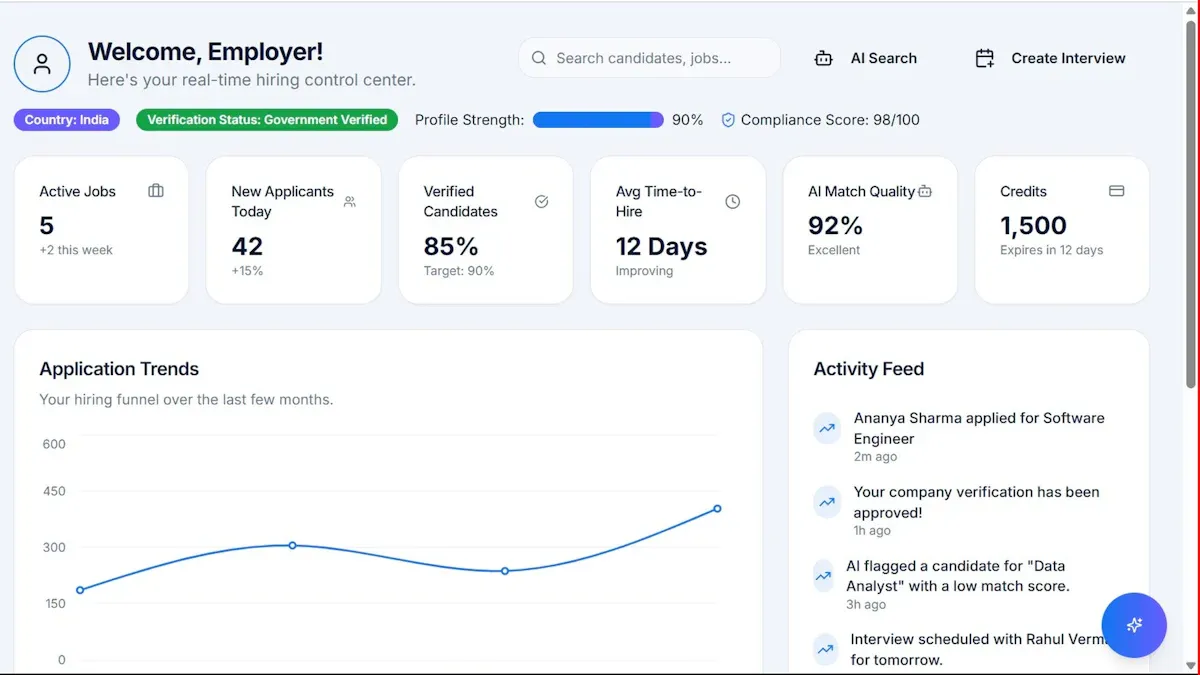
You want to see every important mention on threads right away. Alerts make social media monitoring quick and easy. Many tools let you connect your threads account and watch keywords or hashtags. You can use tools like EmbedSocial, BrandMentions, Hootsuite, and Google Alerts. These tools check threads for new posts and send alerts when they find your keywords. You can get these alerts on Slack, Telegram, or email. This helps your team answer fast and keeps customers happy.
Here’s how you set up alerts:
Link your threads account to a monitoring tool.
Type in your keywords, hashtags, or brand names.
Turn on real-time alerts for your favorite channel.
Watch and study data with advanced search tools.
Reply to mentions right from the platform.
Tip: Real-time alerts help you join talks fast and protect your brand.
Using Social Listening Tools and APIs
Social listening tools make threads monitoring smarter. You can track mentions, hashtags, and keywords on social media. These tools send alerts when someone talks about your brand. You can use APIs to track things automatically and webhooks to tell your team. Some tools let you connect with analytics for tracking engagement and how people feel. This helps you know what people think about your brand and makes your social media better.
Use EmbedSocial to watch threads and set up alerts.
Get alerts when your brand is tagged or mentioned.
Join talks quickly to fix problems or boost engagement.
Use APIs for automatic tracking and connect with analytics tools.
Enhancing Reporting and Engagement
You need clear reports to see how well your threads monitoring works. Good tools let you set up alerts for important numbers. You can share these numbers in your team chats. Pick three to five key numbers for each project. Mix numbers and feedback for better ideas. Check your numbers often to learn more and work better. Smart thread summaries and auto sorting help you stay organized. Make sure your monitoring works with other social media tools for a full view.
Note: Good reports and tracking help you spot trends, answer faster, and build better customer engagement.
You can get really good at social media monitoring on threads by making smart search queries, using filters, and turning on real-time alerts. Check your monitoring often to keep your brand safe. This also helps you get more people talking with your brand. Look at your list of keywords and update it when things change on threads. Stay active with alerts so you never miss a chance to talk to people or protect your brand’s reputation. Try using social media monitoring tools to help more people know about your brand. Start watching threads today and see your engagement go up!
FAQ
How often should I update my Threads keyword list?
You should check your keyword list every week. Add new terms if you see people using different words for your brand. Remove words that do not help you find real mentions.
Can I monitor Threads without paid tools?
Yes, you can use free tools like Google Alerts or manual searches. Paid tools give you more features and real-time alerts, but you can start with free options.
What do I do if I get too many irrelevant results?
Try using filters to block out spam or unrelated posts. Make your search queries more specific. Review your keywords and remove any that bring in too much noise.
How do I find untagged mentions of my brand?
Use social listening tools that scan for your brand name, even if you are not tagged. Add common misspellings and nicknames to your keyword list to catch more mentions.
Can I track Threads mentions in other languages?
Yes! Add keywords in different languages to your search. Many monitoring tools let you track mentions from around the world. This helps you see what people say about your brand everywhere.