KeyAPI Free: Scale YouTube Shorts & Reels with Real-Time Video Data

Look, I’ll be honest. Up until April 2026, my approach to building video analytics tools was stuck in the past.
I was consulting for an LA-based creator agency that manages about 40 different YouTube Shorts channels. They wanted a custom dashboard to track view velocity and trending sounds in real-time. Naturally, I spun up a Google Cloud project and hooked into YouTube’s official Data API v3.
Three hours after we deployed the beta, the dashboard crashed.
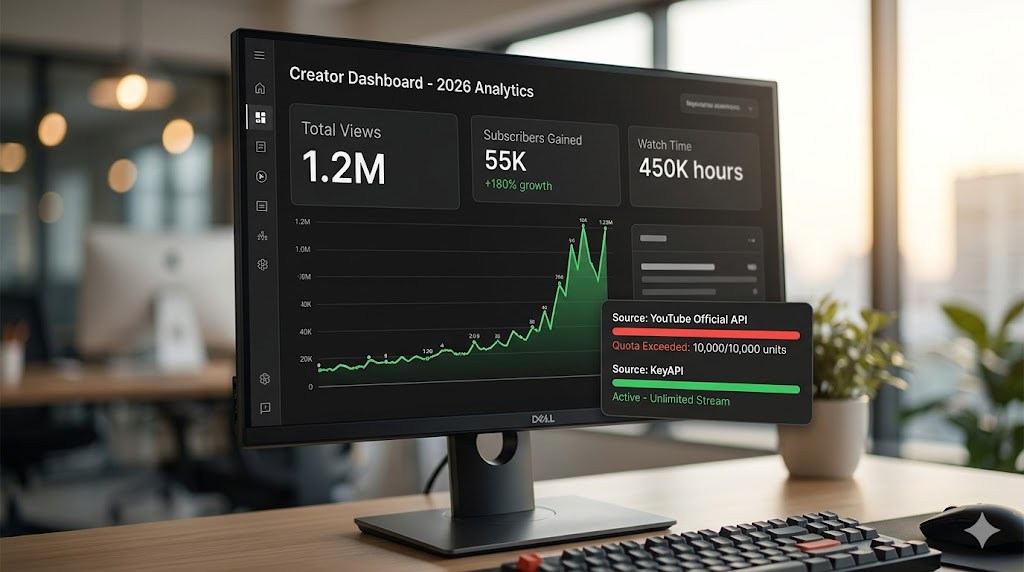
We had hit the 10,000-unit daily quota. When you realize a single search request burns 100 units, you quickly do the math: the official API allows roughly 100 searches a day. For an agency tracking hundreds of Shorts daily, that’s completely useless. We applied for a quota extension. Google's review process dragged on. My clients were getting impatient.
That’s when I ripped out the official integration and swapped it for KeyAPI.ai. I rebuilt the data layer in one afternoon using their free tier. It completely changed how we handle video data.
If you are building any tool that relies on YouTube Shorts, Reels, or channel analytics this year, stop fighting the quota limits. Here is how I actually use this data to drive views, rather than just putting numbers on a dashboard.
The Quota Trap (And Why 2026 Requires Faster Data)
The YouTube algorithm in 2026 is hyper-reactive. A Short can peak and die within a 48-hour window. If you are waiting on rate limits to pull related videos or comment sentiment, your data is already stale by the time you analyze it.
I spent weeks building caching workarounds for the official API before realizing the data gaps were the real issue. You couldn't easily filter native Shorts from regular VODs (Video on Demand) without heavy manual parsing.
With KeyAPI, you bypass the Google Cloud bureaucracy entirely. No quota extension forms. You just make the request and get structured JSON.
(If you are completely new to API integrations, I highly recommend checking out our YouTube API Key Setup Guide first so you understand the basic architecture before diving in.)
3 Actionable Workflows I Built Using KeyAPI (That Actually Work)
Anyone can pull a view count. The real value is in how you combine endpoints. Here are the exact workflows I built for my clients that solved real growth problems.
1. The "Algorithmic Draft" Strategy (Using Related Videos)
The Problem: A tech-review client was getting decent views, but their Shorts weren't being pushed to new audiences. They were stuck in a subscriber bubble. The Fix: I stopped looking at their videos and started looking at their "neighborhood."
I used the Get Related Videos endpoint on their top-performing competitors. This endpoint pulls the exact 20-30 videos YouTube recommends alongside a specific Short. What I found was fascinating: the algorithm wasn't grouping our client with other "tech reviewers." It was grouping them with "productivity hacks" channels.
We immediately pivoted their Shorts metadata and hooks to focus on workflow efficiency rather than hardware specs. Views tripled in three weeks.
The takeaway: Don't just track views. Use the Related Videos endpoint to see where YouTube thinks your content belongs. (Want to build this yourself? Read our deep dive on the YouTube Related Searches API to see how search and recommendations overlap).
2. Mining Comments for "Hook" Testing
The Problem: Creators guess what their audience wants. Usually, they guess wrong. The Fix: YouTube comments are the most honest focus groups on the internet.
I used the Get Video Comments and Get Video Sub-Comments endpoints to scrape 5,000 comments from a trending niche. Instead of standard sentiment analysis (which is boring), I wrote a script to look for comments formatted as questions.
We found out that thousands of people were arguing in the replies about a very specific iOS 19 feature. Our client filmed a 45-second Short answering that exact debate. It hit 1.2M views in two days. The data gave us the hook; the creator just had to perform it.
3. Competitor Auditing at Scale
When onboarding a new client, I run their biggest competitor through the Get Channel Videos endpoint.
But I don't just pull the list. I combine it with the Get Video Information endpoint to map out their upload frequency against their view spikes. With KeyAPI's dedicated Shorts Search, I can isolate just their short-form content and ignore their hour-long podcasts. This gives us a blueprint of what format is actually feeding their subscriber growth.
(For developers trying to automate this exact process, our guide on YouTube Video Content Extraction breaks down the JSON structures you'll be working with).
Getting Started Without Spending a Dime
If you are an indie dev or an SEO analyst trying to map content clusters, you shouldn't be paying enterprise API fees just to test a hypothesis.
Grab your key: Head over to keyapi.ai and create a free account. You get an API key instantly.
Start small: Don't pull 10,000 videos on day one. Start with the Shorts Search endpoint. Query a keyword in your niche and look at the raw data returned.
Layer the data: Once you have a trending Video ID, run it through the Related Videos endpoint. That's where the real SEO magic happens.
Stop guessing what the algorithm wants. The data is sitting right there, and in 2026, accessing it shouldn't take a two-week approval process.
FAQ
Is the free tier actually enough to build something?
Yes. For prototyping, weekend builds, and small client dashboards, the free tier provides enough daily requests to pull meaningful Shorts, comments, and related video data without hitting a paywall.
How does the Shorts Search differ from regular YouTube Search?
The official API often lumps Shorts and regular videos together. KeyAPI’s dedicated Shorts endpoint natively filters for vertical videos under 60 seconds, saving you from writing custom filtering logic on your backend.
Does this require OAuth or Google Cloud approvals?
No. You don't need to configure a GCP project or wait for Google to approve your app's quota limits. You authenticate directly with your KeyAPI key.
Can I use the comment data to train my own AI models?
Absolutely. The endpoints return clean JSON threads (including nested sub-comments), which is perfect for feeding into custom NLP models for sentiment or trend prediction.