Can You Get Instagram Reels Data with an API?

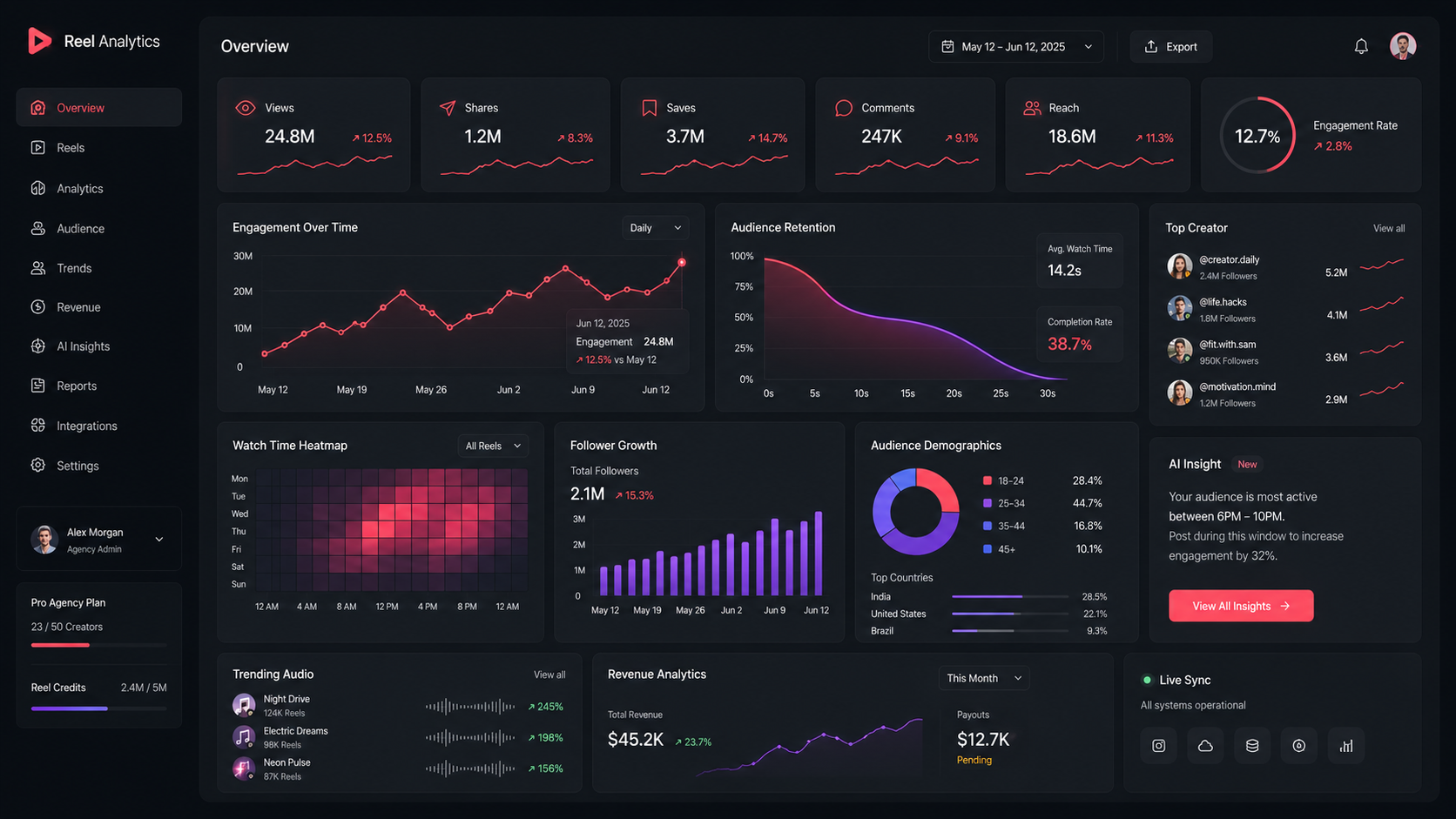
Instagram’s official API access is strongest when you are working with professional accounts and authorized data.
Meta’s Instagram API documentation says Instagram professional accounts can access media and insights through the API when the right login flow, permissions, and access level are in place. Media insights can include metrics such as engagement, reach, impressions, shares, comments, likes, saved, plays, views, total interactions, and Reels-specific watch-time related metrics depending on the media type and API support.
But there are limits that matter for planning.
Official media insights are for media owned by Instagram professional accounts. They are not a general “pull analytics for every public Reel on Instagram” system. Some account insight metrics also require account conditions, such as follower thresholds, and user metrics have historical storage limits.
That means the workflow should be designed honestly.
If you are tracking your own brand account, official access may be enough. If you are comparing many public creators, competitors, or campaign partners, the access route needs to be reviewed more carefully.
For a broader overview of Instagram API types and limits, connect this page to What Is the Instagram API?.
The report should start with the decision
Before collecting Reels data, define the report’s job.
A creator campaign report has a different job from an internal content report.
For example, a creator campaign report may need to compare multiple creators across a fixed window. A brand content report may focus on your own account’s Reels over time. A product launch report may care more about shares and comments than raw views. A content testing report may compare hook style, publish time, caption length, or topic.
Those reports should not all use the same data model.
A useful Reels reporting brief might look like this:
Report goal | Data to collect first |
|---|---|
Compare campaign Reels | views, likes, comments, shares, saves, publish time, creator, collected time |
Track owned account Reels | reach, plays/views, engagement, profile activity, timestamped snapshots |
Find content that spreads | shares per 1,000 views, saves, comment rate, view growth |
Monitor creator performance | recent Reels, follower count, engagement by view, posting frequency |
Build an internal dashboard | stable IDs, clean fields, refresh status, failed update logs |
If the report cannot answer one clear question, it will probably become a decorative dashboard.
A small test before building the dashboard
Do not start with 1,000 Reels.
Start with 30.
Thirty records is enough to reveal whether your fields are available, whether timestamps are clean, whether the report makes sense, and whether your team is asking for data that the access route cannot support.
A practical 30-Reel test should include:
Field | Why it should be tested early |
|---|---|
Reel ID | Needed to avoid duplicates |
Permalink | Needed for manual review |
Caption | Helps classify content |
Publish time | Needed for age-based comparison |
Views or plays | Basic performance signal |
Likes | Light engagement signal |
Comments | Discussion signal |
Shares | Spread signal |
Saves | Intent signal where available |
Collected time | Makes trend tracking possible |
Update status | Shows whether the pull succeeded |
The test should not only prove that data can be collected.
It should prove that the collected data can answer the report question.
Store snapshots, not just the latest number
This is where many Instagram Reels reports become weak.
A dashboard that only shows the latest value cannot explain movement.
For example:
Date | Reel | Views | Likes | Comments | Shares | Status |
|---|---|---|---|---|---|---|
Monday | reel_01 | 18,400 | 930 | 41 | 120 | success |
Tuesday | reel_01 | 44,200 | 2,180 | 96 | 410 | success |
Wednesday | reel_01 | 44,200 | 2,180 | 96 | 410 | failed |
The failed row matters.
Without it, someone may think the Reel stopped growing. In reality, the data did not refresh.
A serious Reels report should always show when the data was collected and whether the update succeeded.
Metrics that are more useful than raw views
Raw views are easy to read and easy to misuse.
A Reel with 500,000 views may look better than a Reel with 80,000 views. But if one account has 5 million followers and the other has 40,000, raw views alone are not a fair comparison.
Add calculated metrics early:
Metric | Formula | Why it helps |
|---|---|---|
Engagement by view | (likes + comments + shares + saves) / views | Compares audience reaction |
Shares per 1,000 views | shares / views * 1,000 | Finds content people spread |
Comment rate | comments / views | Shows discussion quality |
Save rate | saves / views | Shows future-use intent |
View growth | current views - previous views | Shows whether the Reel is still moving |
Views per follower | views / follower count | Helps compare accounts of different sizes |
These metrics are not perfect. They are more useful than staring at view count alone.
When free or lightweight access is enough
A lightweight setup may be enough if the team only needs to check a few Reels, test a dashboard idea, or review owned-account performance manually before building a full system.
It is usually enough when:
the team tracks only one account
the report is internal
refresh frequency is low
no client depends on the numbers
historical trends are not required yet
That is the right time to keep the workflow simple.
But once Reels data affects campaign reporting, creator selection, budget decisions, or weekly dashboards, the collection process needs to be more stable.
When a dedicated API workflow makes sense
A dedicated API workflow becomes useful when the team needs repeatable reporting.
That usually means:
tracking many Reels
comparing multiple creators
refreshing data daily or weekly
storing historical snapshots
building a dashboard
feeding data into internal tools
combining Instagram with TikTok, YouTube, or other platforms
At that point, the job is no longer “get Reels data once.”
The job is to keep getting usable Reels data in a format the team can trust.
That is where KeyAPI fits better than a one-off manual workflow.
Where Reels data fits in an Instagram API workflow
Reels data usually works best as one part of a wider Instagram reporting system.
A team may start by tracking Reels views, likes, comments, shares, and saves. But sooner or later, the report needs account context too. A Reel from a small account and a Reel from a large account should not be judged only by raw views. That is why account-level data such as follower count, media count, and business profile context often needs to sit next to Reels metrics.
If the workflow is mainly about pulling Instagram data into dashboards or internal tools, KeyAPI’s Instagram API is the natural product page to connect from this article.
If the reader is still trying to understand which Instagram API route fits their use case, the broader guide What Is the Instagram API? should be the next step.
For teams comparing creator accounts or campaign partners, follower context also matters. In that case, the article on Instagram API follower count supports the Reels workflow well because it explains how account size should be used alongside media performance.
If the reporting use case involves public business or creator account research, Instagram Business Discovery API is the better follow-up page.
FAQ
Can I get Instagram Reels analytics with an API?
Yes, for supported Instagram professional account workflows and authorized access, Reels-related media insights can be retrieved through Instagram API endpoints. The exact metrics depend on account type, permissions, media type, and API support.
Can I get Reels data from any public Instagram account?
Not in the same way you can access your own authorized professional account insights. Official Instagram access has limits, especially around personal accounts, public third-party media, and insight-level metrics.
What Reels metrics should I track first?
Start with Reel ID, permalink, publish time, views or plays, likes, comments, shares, saves where available, and collection timestamp. Then add calculated metrics such as engagement by view, shares per 1,000 views, and view growth.
How often should Instagram Reels data refresh?
For active campaign Reels, daily refresh is usually a good starting point. For the first 48-72 hours after publishing, more frequent checks may be useful if the team actually acts on the data. Older Reels can usually be checked less often.
Why is a timestamp important?
Without a collection timestamp, the report cannot show whether a Reel is growing or whether the data is stale. Every metric snapshot should include when it was collected.
Final takeaway
Instagram Reels data is useful when it helps a team make a decision.
A simple report may only need views, likes, comments, shares, saves, and publish time. A stronger report needs snapshots, calculated metrics, refresh status, and account context.
Do not build the dashboard around whatever number is easiest to collect. Build it around the question the team needs to answer.
That is the difference between a Reels data export and a Reels reporting workflow.