What Do You Need Before Using the Twitter Timeline API? Auth, Access, and Setup Explained


Plenty of teams think they have a Twitter Timeline API problem when they really have a setup problem.
The request looks fine. The endpoint is correct. The code even works in a local test. Then somebody pushes it into staging, tries another account, or moves it into a production workflow, and suddenly nothing behaves the way the first demo did.
That usually happens before the feed layer, before the rendering layer, and before the page-speed layer. It happens at the setup layer: credentials, access model, user identifiers, and endpoint assumptions.
If you need the broader definition first, read What Is the Twitter Timeline API? A Practical Guide to Data, Limits, and Real Use Cases. If your goal is specifically putting posts onto a website, the implementation page is How to Display Tweets on Your Website with the Twitter Timeline API. This article is for the stage before both of those become useful: getting access and setup right so the timeline request can work in the first place.
The first thing to understand: “timeline access” is not one single switch
This is where a lot of articles become too vague to help.
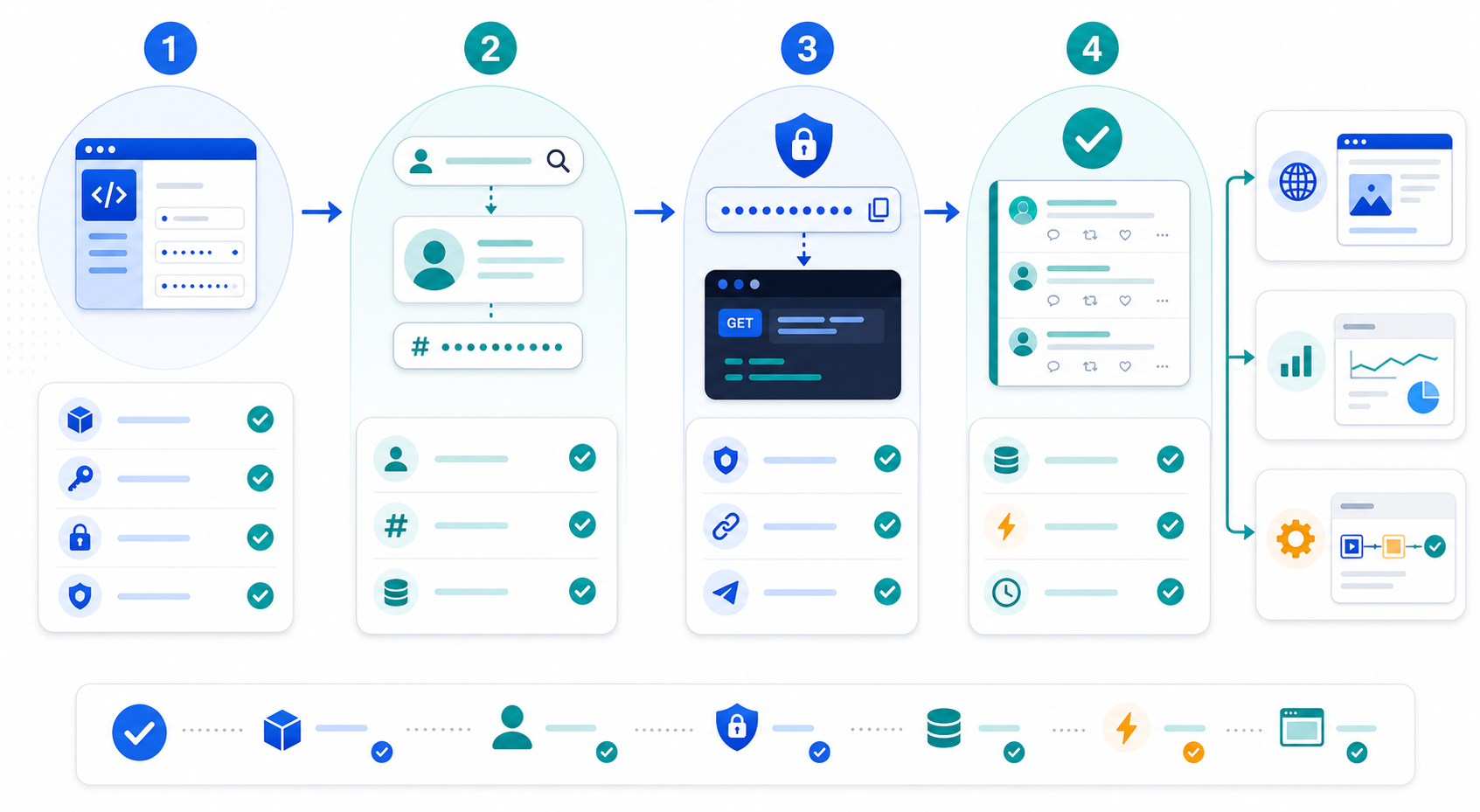
There is no magical “enable timeline API” button that suddenly makes every timeline workflow work. What you actually need is a combination of four separate things:
a developer app
the right authentication method
the right account identifier
an endpoint that matches the kind of request you are trying to make
If one of those four pieces is wrong, the request may fail, return less data than expected, or appear to work in testing and break later in production.
That is why setup issues are so frustrating. They do not always fail loudly.
Start with the app, not the request
Before discussing Bearer Tokens or user IDs, the base requirement is the developer app itself.
According to X’s current developer app documentation, an app is the container that holds your credentials. That includes:
API Key and Secret
Client ID and Client Secret
Access Token and Secret
Bearer Token
Those credentials do not all serve the same job. Teams often treat them like interchangeable keys, then lose hours debugging the wrong one.
What each credential is actually for
Credential | Typical use |
|---|---|
API Key + Secret | OAuth 1.0a signing or generating other auth assets |
Bearer Token | App-only requests for supported public endpoints |
Client ID + Secret | OAuth 2.0 authorization code flow |
Access Token + Secret | Requests made on behalf of a user in OAuth 1.0a |
The simple version is this:
if you are reading public timeline data from supported endpoints, app-only Bearer Token auth is often enough
if you need requests on behalf of a user, a different auth model may be required
That sounds obvious once stated, but it is exactly where many teams go wrong.
Bearer Token is usually the right starting point for timeline reads
X’s current OAuth 2.0 documentation says Bearer Token auth is an app-only method and is typically used for read-only access to public information. The same docs also note that app-only auth is a good fit for pulling user timelines on supported endpoints.
This matters because it answers the most common early question:
Do I need user login just to read a public timeline?
For many public timeline retrieval cases, no. You usually start with app-only auth.
Why teams still get confused
Because “timeline” and “user context” get mixed together.
There are two different ideas here:
reading public posts from a known account
acting on behalf of a user
Those are not the same thing.
A surprising number of builds overcomplicate the first one by assuming they need a full user login flow before they have even confirmed whether a Bearer Token request can do the job.
The second setup mistake: confusing username with user ID
This one causes far more wasted time than it deserves.
X’s user lookup docs clearly separate:
GET /2/users/by/username/{username}GET /2/users/{id}GET /2/users/{id}/tweets
That structure exists for a reason.
The timeline endpoint works from a user ID, not a handle pasted directly into every request. If your code only knows @brandname, the clean workflow is:
resolve the username
get the numeric user ID
store that ID
use the ID for timeline retrieval
This is not just pedantry. It makes production much more stable.
Usernames can change. IDs are the stable key.
The lookup step most teams should normalize
curl --request GET \
  --url https://api.x.com/2/users/by/username/{username} \
  --header 'Authorization: Bearer <token>'
Once you get the id, you use it in the actual timeline request.
That sounds like one extra step. In practice, it is the step that keeps the whole setup from becoming brittle.
What the timeline request usually looks like after setup is correct
Once the auth method and identifier are right, the request itself is simple.
curl --request GET \
  --url "https://api.x.com/2/users/{id}/tweets?max_results=10&tweet.fields=created_at,public_metrics,attachments&expansions=attachments.media_keys&media.fields=url,preview_image_url,type" \
  --header 'Authorization: Bearer <token>'
That request shape reflects the reality of most actual builds:
you want a small recent window
you need time and engagement context
you may need media fields
you want a response that is usable beyond raw text
The setup work exists so that this request can behave predictably.
Where setup issues usually show up in the real world
The most annoying part of auth and access mistakes is that they often look like content or frontend bugs.
A team sees an empty feed and starts changing layout code. Another team keeps reworking response mapping. Someone else blames rate limits before checking whether the wrong token is being used.
The real issue is often one of these:
1. The right endpoint is paired with the wrong auth assumption
The request is technically valid, but the team is assuming all timeline-like workflows can use the same auth pattern. They cannot.
2. The request uses a username mentally, but an ID physically
Someone on the team thinks in handles, another part of the system expects numeric IDs, and the mismatch gets hidden inside configuration.
3. Local testing uses one credential path, production uses another
This is why “it worked in Postman” is not useful evidence by itself.
4. The Bearer Token exists, but the app setup is not actually the one the deployed code is using
This is painfully common when there are multiple apps, old credentials, or copied environment files.
If you are already past setup and your real symptom is a blank page or missing posts, the dedicated troubleshooting page is Why Is My Twitter Timeline Feed Empty on My Website? Common API Setup Mistakes to Check.
A practical setup checklist before you write any rendering code
This is the checklist I would want a team to verify before they build the website component, reporting job, or automation layer.
Check | Why it matters |
|---|---|
Developer app exists and is the correct app | Teams often test with one app and deploy with another |
Bearer Token is available in the real environment | Local success means nothing if staging has no valid token |
Username has been resolved to a user ID | Timeline requests are more stable when built on IDs |
Endpoint matches the intended use | Not every “Twitter data” need is a timeline endpoint |
Fields and expansions are explicitly requested | Default payloads are usually too thin for production use |
Cache strategy is planned | Avoids burning requests or creating empty cached states |
This is also the point where product teams should stop pretending “we’ll clean it up later.”
A feed that is not set up cleanly becomes a debugging task disguised as a feature.
What Bearer Token auth is good at, and what it is not
X’s docs are actually fairly direct here.
App-only Bearer Token authentication is designed for requests made on behalf of the application itself, not a logged-in user. It is mainly for read-only access to public information. That makes it a good fit for many timeline retrieval cases.
What it is not good at is pretending there is a user context when there is not one.
That distinction becomes important the moment someone on the team says one of these:
“Can we just use the same token to do user-specific stuff too?”
“Can this also act as the logged-in account?”
“Why does it read data fine but not behave like a user session?”
Because it is not a user session.
That is not a flaw. It is the expected behavior.
The auth decision should come before the content decision
This is one of those boring truths that saves time.
Many teams jump straight into questions like:
what fields should we render?
should we show five posts or ten?
should we include media previews?
Those are valid product questions, but they come after setup questions, not before them.
The better order is:
What are we trying to retrieve?
Is this a public timeline use case?
Does app-only Bearer auth support this workflow?
Do we have the correct user ID?
Are we requesting the right fields?
Only then: how should the app render or process the data?
That order is not flashy, but it avoids the usual rabbit holes.
A realistic example of where teams lose a day
Here is a very normal failure pattern.
A team wants to display recent posts from one brand account.
They:
create a request using the handle they know
test it with one token in a local script
move it into the app with another environment file
assume the timeline endpoint will “just know” the account context
skip the username-to-ID step because it feels unnecessary
then start debugging the frontend when the request chain breaks
Nothing in that sequence is dramatic. That is exactly why it wastes so much time.
The fix is usually not deep. It is structural:
pick the auth model first
resolve the user ID properly
use the correct app credentials consistently
separate setup validation from rendering
That is not glamorous engineering, but it is what turns a demo into a maintainable workflow.
When you should not build directly on the official auth path alone
This is where the business conversation starts to matter.
If all you need is one public account feed, then a direct official setup may be enough.
If your team is trying to support multiple accounts, multiple platforms, internal reporting, and AI processing on top of the same data layer, then the official auth flow is only part of the work. You still need a layer that handles:
normalization
access control inside your own app
retries
caching
downstream processing
That is where teams stop thinking in terms of “one endpoint” and start thinking in terms of a real data workflow. If that is your situation, KeyAPI’s Twitter API page is the better place to evaluate the broader product fit.
FAQ
Do I need user login before I can read a public Twitter timeline?
Not always. X’s current docs show that app-only Bearer Token authentication is commonly used for read-only access to public information and can support timeline retrieval on supported endpoints.
Why can’t I just use the username everywhere?
Because timeline retrieval is more stable when built on a user ID. X provides separate user lookup endpoints so usernames can be resolved first and IDs can be used consistently afterward.
What is the first auth method I should test?
For public timeline reads, Bearer Token app-only auth is usually the cleanest first test.
Why did the request work locally but fail after deployment?
Because local success often proves only one thing: one credential in one environment worked once. Production failures are usually caused by the wrong token, wrong app, wrong ID, or mismatched environment setup.
Should this article also solve blank-feed issues?
Not fully. This page is about access and setup. If the request path is already connected but the output is empty, that is a troubleshooting problem, not a setup-definition problem.