What Is the Twitter Timeline API? A Practical Guide to Data, Limits, and Real Use Cases


Nobody wakes up wanting “a timeline API.”
What they usually want is one of three things:
a clean list of recent posts from a known account
a stable content source for a website or dashboard
a way to pull public posting history into a reporting or AI workflow
That sounds simple until the wrong tool gets picked.
Some teams really need a website embed and end up overbuilding with API calls. Some teams start with an embed, then discover they need filtering, caching, or structured JSON and have already chosen the wrong path. Others say “timeline API” when they actually mean search, mentions, or account monitoring.
This article is here to clear that up.
If you are looking for the product entry point first, start with KeyAPI’s Twitter API page. If your problem is specifically “How do I show tweets on a website?”, the better next read is How to Display Tweets on Your Website with the Twitter Timeline API. This page has a narrower job: define the Twitter Timeline API properly, show what it returns, explain its hard boundaries, and help you decide whether it is the right API for the work in front of you.
What the Twitter Timeline API actually is
In current X API documentation, the most common timeline endpoint is:
GET /2/users/{id}/tweets
That endpoint retrieves posts authored by a specific user. X’s own timeline overview groups it under “User Posts,” alongside mentions and reverse-chronological home timeline endpoints. In other words, a timeline API is not one giant “Twitter data” endpoint. It is a specific slice of the platform designed to return a sequence of posts over time.
That distinction matters because developers often search for twitter timeline api and assume it includes every useful account-related data point. It does not.
At its core, this endpoint is for public post retrieval from a known account.
The part most articles skip: what it really returns
The most useful way to understand this endpoint is not by reading its name. It is by looking at the response contract and the limits around it.
X’s current docs show that this endpoint supports:
up to 3,200 most recent posts
time-based filtering
pagination
excluding replies
excluding retweets
field expansion for media, authors, places, and referenced posts
That is already enough to build a serious workflow. It is also narrow enough that you should not expect it to behave like a search API, monitoring platform, or full analytics suite.
What you get by default
A minimal request proves access, but it does not give you much context.
curl --request GET \
  --url https://api.x.com/2/users/{id}/tweets \
  --header 'Authorization: Bearer <token>'
At the default layer, you are usually dealing with the basics:
post ID
author ID
text
created time if requested
a limited response shape
That is enough for retrieval, but not enough for most production use.
What you can add with fields and expansions
The endpoint becomes genuinely useful once you ask for the right fields.
According to X’s current endpoint docs, tweet.fields can include things like:
created_atconversation_identitiesattachmentspublic_metricsreferenced_tweetslangsource
And expansions can pull in related objects such as:
attachments.media_keysauthor_idreferenced_tweets.idin_reply_to_user_id
That means the endpoint is not just a text feed. It can become a structured content source if you request the data deliberately.
The three numbers that matter before you build anything
This is where the official docs become more useful than most blog posts.
1. max_results is not open-ended
For GET /2/users/{id}/tweets, X’s current docs set:
minimum:
5maximum:
100
That sounds small until you remember pagination exists. For a website feed, five to ten posts is often enough. For reporting or archiving, pagination is the real mechanism that matters.
2. Rate limits are generous for app-level retrieval
As of August 6, 2026, X’s published rate-limit table shows for:
GET /2/users/:id/tweets
Per App:
10,000 / 15 minPer User:
900 / 15 min
Those are not tiny numbers. For most internal dashboards, website feeds, and batch reporting jobs, the bigger problem is usually not the raw limit. The bigger problem is sloppy request design, no caching, or repeated frontend fetching that burns quota for no good reason.
3. Timeline history is limited
X’s timeline overview states that the user posts timeline supports:
up to 3,200 most recent posts
That is enough for many operational use cases, but it is not “the complete lifetime archive of an account.” If your team needs very deep historical coverage, that boundary has to be acknowledged upfront.
The fastest way to misuse this endpoint
The easiest mistake is not a code mistake. It is a scope mistake.
A Twitter Timeline API is a good fit when the question is:
“What has this account posted recently?”
“How do I collect this account’s public posts in order?”
“How do I pull recent posts into a website, dashboard, or internal workflow?”
It is a bad fit when the question is:
“What is everyone saying about a topic?”
“What are the latest posts across many unknown accounts?”
“Can I use this as a drop-in social listening platform?”
“Will this give me a ready-made widget with no backend work?”
That mismatch is why so many teams end up disappointed. The endpoint does its job. They just assigned it the wrong job.
A better way to think about the endpoint
Instead of asking, “Can this API fetch tweets?”, ask:
What decision will this data support?
That question usually leads to a cleaner architecture.
Business question | Is the timeline API a fit? | Why |
|---|---|---|
“Show this account’s latest posts on our website” | Yes | You already know the account and need recent post data |
“Track how often this account publishes” | Yes | The post stream itself is the source of truth |
“Pull content into an internal reporting pipeline” | Yes | Structured post retrieval is the right starting point |
“Monitor open discussion around a keyword” | No, not by itself | That requires search or monitoring logic |
“Drop a feed onto a page fast with no backend work” | Maybe not | An embed may be simpler |
That is the real decision layer. Not “Can I hit the endpoint?” but “Does this endpoint match the job?”
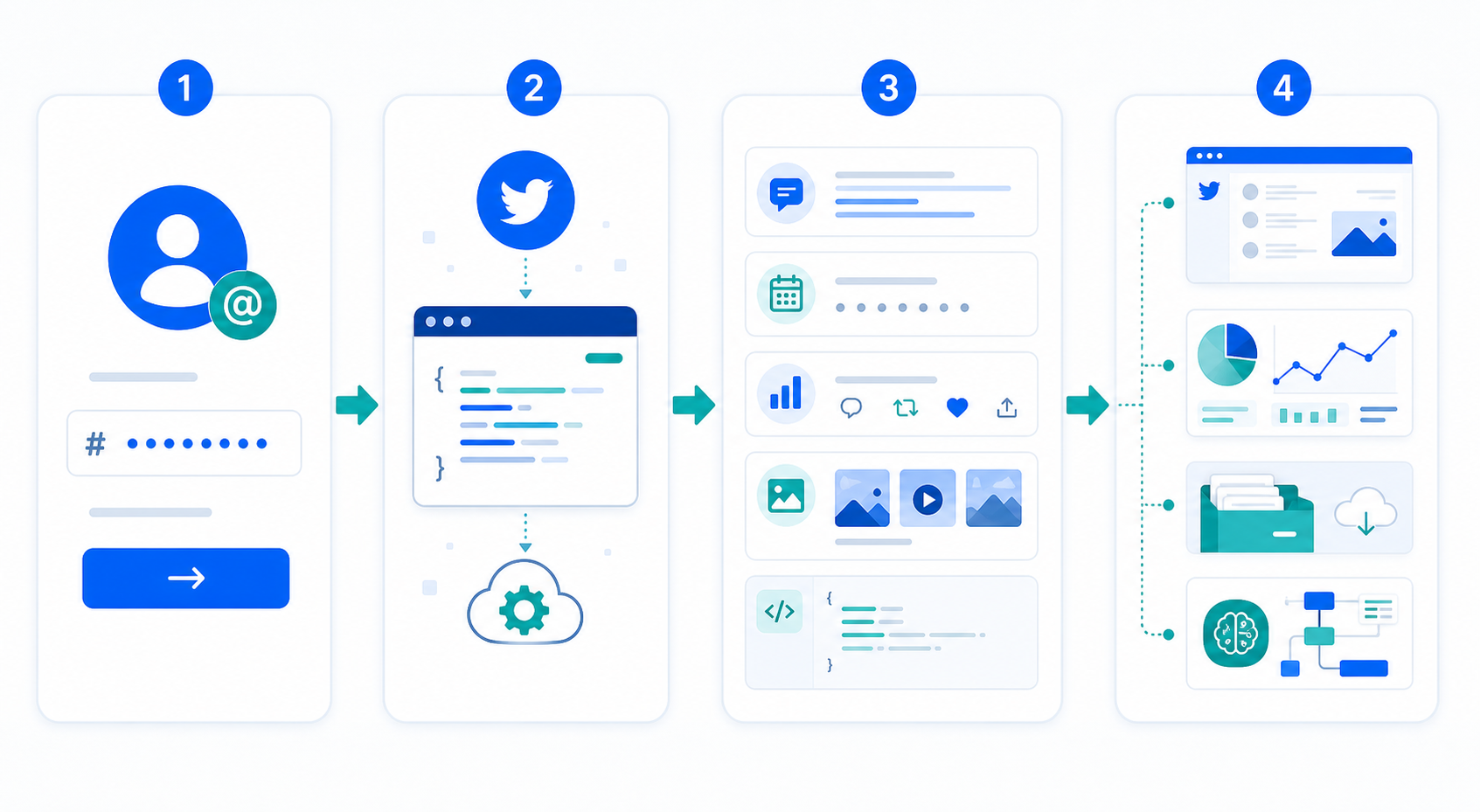
What teams usually build with timeline data
This is where the endpoint becomes practical instead of theoretical.
Website content blocks
This is the most visible use case. A company wants recent posts on a homepage, launch page, or newsroom section. The timeline API is useful here because it returns data you can render your own way instead of being locked into the default widget.
That said, the actual implementation question is separate from the definition question. That is why the website guide exists: How to Display Tweets on Your Website with the Twitter Timeline API.
Reporting and posting pattern analysis
Marketing and research teams often care less about rendering and more about structure:
how often does this account publish?
what types of posts appear most often?
did posting frequency change after a launch?
which recent posts were original versus replies or reposts?
The ability to exclude replies and retweets becomes especially useful here, because it helps shape a cleaner dataset instead of mixing every post type together.
Lightweight content archives
Some teams need a stable record of public posts for internal search, editorial review, or workflow automation. In that case, the endpoint is not serving a website at all. It is feeding a content store.
AI and downstream classification
Once a timeline is normalized into a clean JSON structure, it becomes useful for:
summarization
topic labeling
post clustering
publishing audits
content routing into larger social workflows
This is one of the reasons a raw timeline API matters even when an embed exists: an embed is for people to see; an API is for systems to process.
What the timeline API does not solve for you
This section is where most “complete guides” get weak. They list capabilities and skip the boundaries.
The timeline API does not automatically solve:
custom frontend layout
caching strategy
account ID resolution workflow
media mapping logic
data normalization for your app
error handling in production
topic-wide discovery beyond known accounts
It also does not replace broader X API knowledge. If your team is actually comparing timelines, search, mentions, and general account workflows, the broader reference point is What Is the Twitter/X API? A Practical Guide to Search, Timelines, and Reporting in 2026.
The practical request pattern most teams should start with
A raw request is useful for testing. A scoped request is useful for production.
A cleaner starting point often looks like this:
curl "https://api.x.com/2/users/{id}/tweets?max_results=10&exclude=replies,retweets&tweet.fields=created_at,public_metrics,attachments&expansions=attachments.media_keys&media.fields=preview_image_url,url,type" \
  -H "Authorization: Bearer $BEARER_TOKEN"
Why this is a better starting point:
max_results=10matches many real display and reporting use casesexclude=replies,retweetskeeps the feed cleaner if you care about authored postscreated_atis essential for recencypublic_metricshelps if you need a quick performance layerattachmentsandmedia.fieldskeep media posts from becoming second-class citizens
This is not the only valid request. It is simply a more realistic one than the bare minimum.
The first architectural fork: embed or API?
This is the choice that decides how much engineering work comes next.
Use an embed if
you just want a public feed displayed fast
default styling is acceptable
structured data is not important
there is no downstream processing requirement
Use the timeline API if
you want full control over frontend rendering
you need server-side caching
you want to enrich or transform the data
the posts need to feed other systems
a website feed is only one piece of the workflow
This distinction is not academic. It changes the shape of the whole build.
Where production builds usually go wrong
I am not going to pretend this is “lab data,” but these are the failure points that keep showing up once teams move beyond a cURL request:
They use the wrong identifier
The endpoint expects a user ID. X’s user lookup docs provide /2/users/by/username/{username} specifically because usernames and numeric IDs are not interchangeable at every step.
They ask for too little data
The feed “works,” but there is no media, no usable date, or no metrics, because the right fields and expansions were never requested.
They skip response shaping
The frontend receives raw nested API data and has to interpret expansions directly. That works in a demo and gets messy fast in production.
They poll too aggressively
The published rate limits are generous, but wasteful website requests still create unnecessary fragility. A feed that refreshes on every page load without caching is a quota leak waiting to happen.
If your issue is no longer “What is this API?” but “Why is my feed blank?”, the right page is Why Is My Twitter Timeline Feed Empty on My Website?.
FAQ
Is the Twitter Timeline API the same as the broader Twitter/X API?
No. It is one slice inside the broader X API set. It is specifically about retrieving ordered post streams such as user posts, mentions, or home timeline data.
How many posts can I request at once?
X’s current docs for GET /2/users/{id}/tweets set max_results between 5 and 100 per request.
How much history can I retrieve?
X’s current timeline overview says the user posts timeline supports up to 3,200 most recent posts.
Can I remove replies and reposts?
Yes. The endpoint supports the exclude parameter, including replies and retweets.
Is this the best way to show tweets on a website?
Sometimes yes, sometimes no. If you need structured JSON, custom layout, or downstream processing, it is a strong fit. If you just want a visible public feed quickly, an embed may be enough.
Final take
The Twitter Timeline API is valuable precisely because it is narrower than people first assume.
It is not a full monitoring platform. It is not a drop-in website widget. It is not the answer to every X data problem. What it does well is simpler, and more useful: it gives you a structured stream of posts from a known account, with enough filtering and field control to support websites, reporting, archives, and AI workflows.
Teams usually get good results from it when they know that boundary before they build.
Teams usually get frustrated when they treat it like a universal shortcut.