YouTube Autocomplete API: How to Get Search Suggestions for Keyword Research

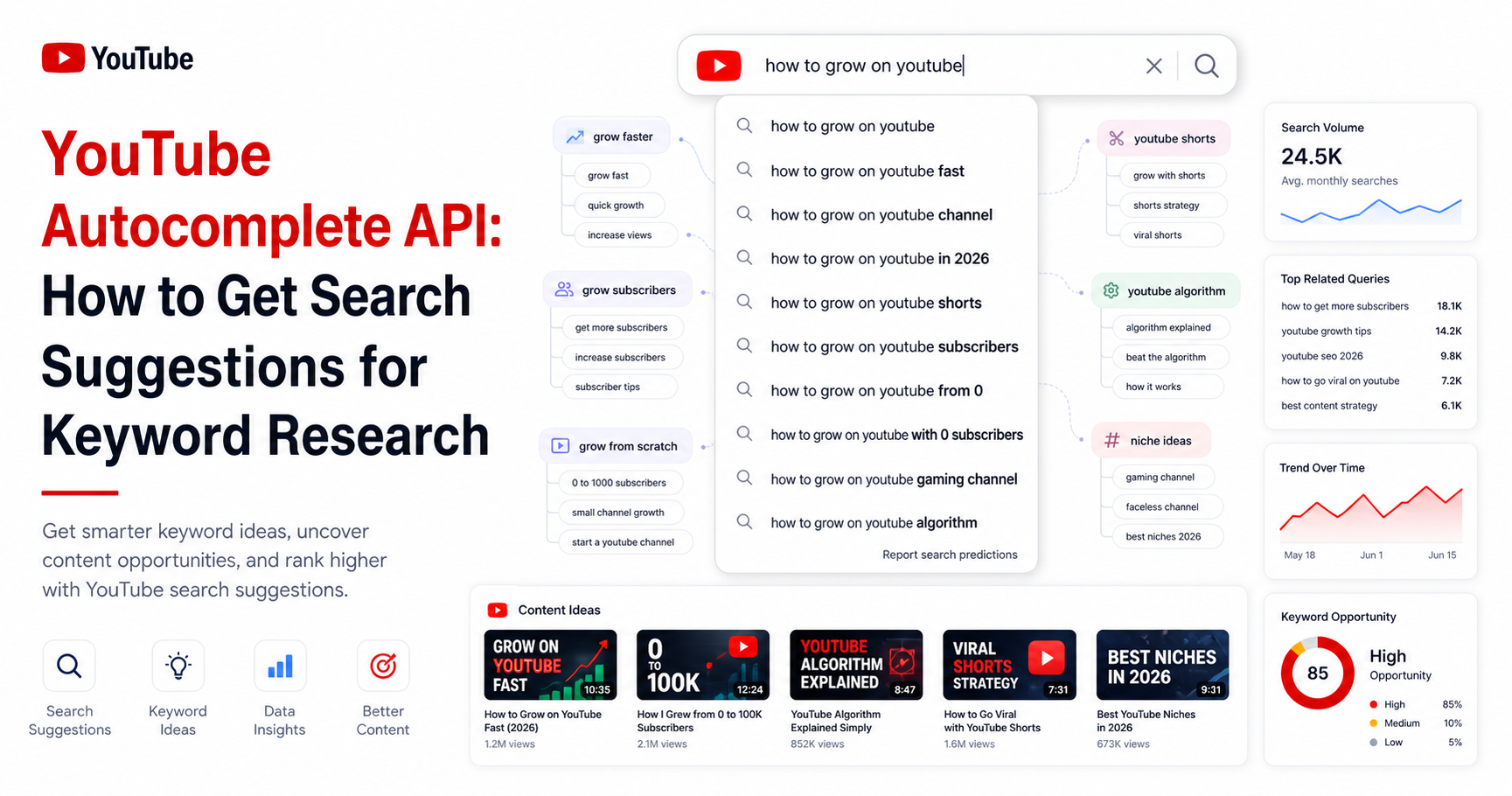
Most teams do not struggle to find YouTube topics because they have no ideas. They struggle because they are guessing. A keyword may look promising in a spreadsheet, but that does not always tell you what people are actually typing into YouTube right now.
That is where autocomplete data becomes useful. Instead of relying only on static keyword tools, teams can use live YouTube search suggestions to see how queries expand, which topics branch into more demand, and how search intent is expressed in the language users actually use. If you are looking for a broader overview of YouTube search intelligence, our guide to the YouTube Related Searches API covers the wider ecosystem, while KeyAPI.ai makes it easier to work with YouTube search data in a structured way.
Why YouTube autocomplete data matters for keyword research
Autocomplete suggestions are one of the clearest signals of active search behavior on YouTube. They are not perfect search volume data, but they do show how users commonly complete a query.
That matters because YouTube keyword research is rarely just about one seed term. Most content decisions depend on:
how a topic expands into subtopics
which phrasing users actually search
where intent becomes more specific
which ideas are broad and which are already turning into content formats
A keyword like youtube shorts is too broad on its own. But autocomplete can quickly turn that into more actionable directions such as tutorials, optimization questions, editing workflows, monetization topics, or audience-growth angles.
What a YouTube autocomplete API actually returns
A YouTube autocomplete API gives you the suggestions that appear when a user starts typing in YouTube search.
It captures real query phrasing
This is one of the biggest advantages over generic brainstorming. You are not inventing topic ideas from scratch. You are working from phrasing patterns that reflect real user behavior.
That makes autocomplete useful for:
topic expansion
title ideation
content clustering
query mapping
identifying long-tail variations
It helps you see topic branches early
Autocomplete data is especially useful when you want to understand how one topic breaks into smaller questions. A single seed keyword can expand into several usable content directions in just one pass.
That is why autocomplete works well for teams doing:
YouTube SEO
creator research
content strategy
trend mapping
multilingual topic discovery
Why this is different from general YouTube search results
Search results tell you what is already ranking. Autocomplete tells you what people are actively trying to search.
Both matter, but they answer different questions.
Search results show existing competition
If you query a term and review top videos, you can see:
who is already ranking
what video formats dominate
how strong the visible competition looks
whether the content angle is saturated
Autocomplete shows intent before ranking analysis
Autocomplete is earlier in the workflow. It helps you decide which keywords are even worth evaluating in depth.
That is why it is often the better starting point for keyword discovery, while result-page analysis becomes the next step.
How teams use autocomplete data in practice
This is where the value becomes real. Most teams do not need raw suggestion lists just for curiosity. They need them to support decisions.
Build a keyword expansion workflow
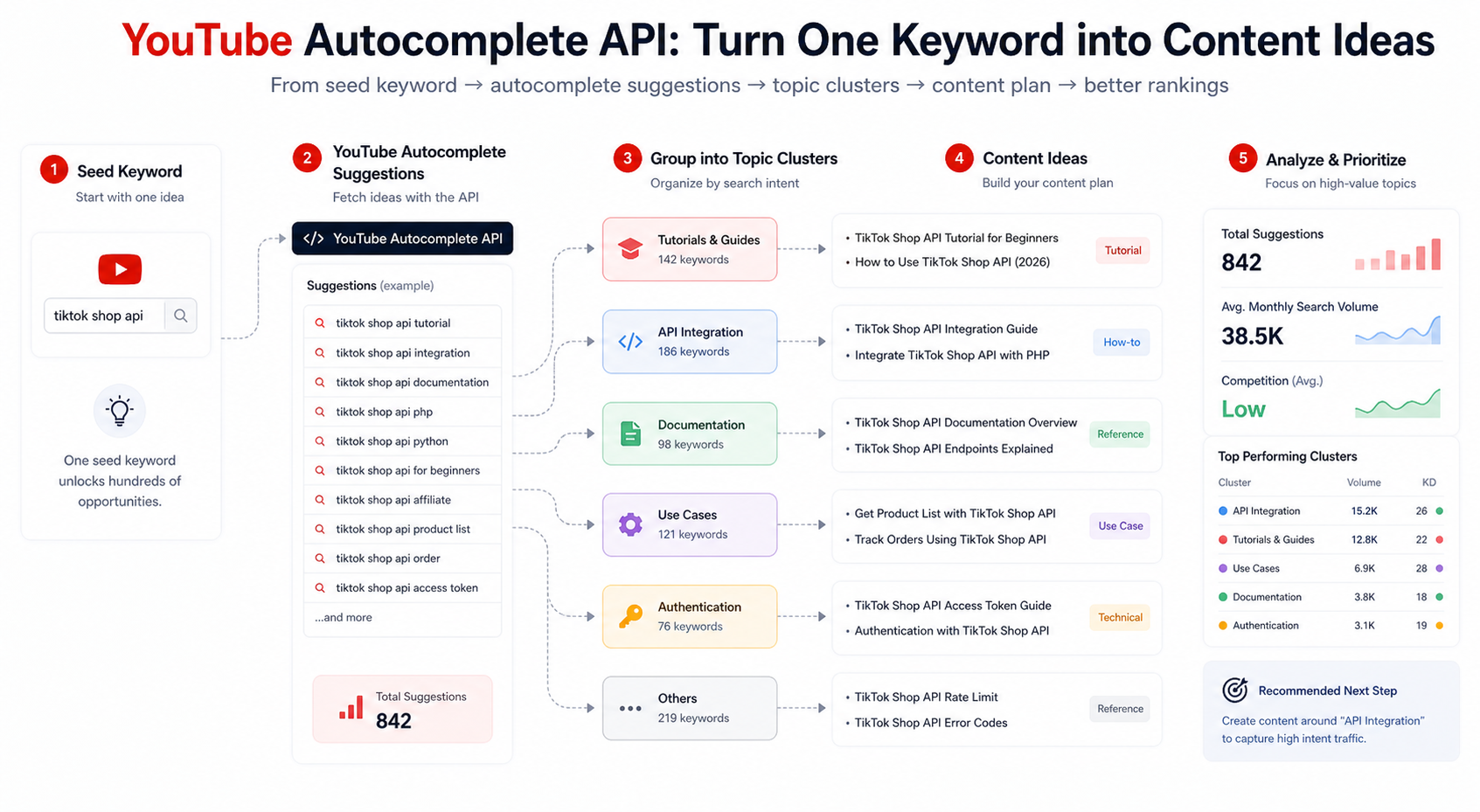
Start with one seed keyword, then collect the first layer of YouTube suggestions. After that, expand the strongest suggestions again to see how the topic branches.
This helps you move from one broad term into a usable keyword map.
For example:
seed keyword
direct suggestions
second-layer suggestions
priority clusters
content angles
That process is much more useful than relying on one flat list of isolated keywords.
Turn suggestion data into content planning
Autocomplete data becomes more valuable when it is grouped by intent.
Some suggestions point to:
beginner education
troubleshooting
tool comparison
strategy advice
platform-specific tactics
When you group suggestions this way, you stop treating keyword research as a list-building exercise and start using it to shape actual editorial plans.
Find long-tail opportunities faster
Broad YouTube keywords are often too competitive or too vague. Long-tail suggestions are usually where better content opportunities appear.
These terms may have:
clearer intent
lower competition pressure
stronger alignment with tutorial or problem-solving content
better fit for niche channels or product-led content
What the official YouTube API does not solve here
This is one reason teams look beyond the official route.
The official YouTube Data API can help with search results, but it does not directly solve the autocomplete use case in the same way. That matters if your main job is not just retrieving ranked videos, but collecting search-suggestion data for repeated keyword research workflows.
This is exactly why dedicated search infrastructure becomes more useful once the goal shifts from simple lookup to repeated topic discovery.
How to use this data without creating another messy workflow
The biggest mistake is collecting suggestions and then leaving them in disconnected spreadsheets.
Store suggestions by seed keyword
Every suggestion should stay connected to the keyword it came from. Otherwise you lose the context that makes the data valuable.
Group by topic intent
Do not stop at raw export. Organize suggestions into clusters such as:
how-to queries
comparison queries
beginner queries
monetization queries
tool or workflow queries
Re-check high-value seeds over time
Autocomplete changes. If a keyword matters to your niche, it is worth tracking repeatedly rather than checking once.
That is how autocomplete data starts becoming useful for:
trend detection
editorial planning
recurring YouTube research
cross-period comparison
When this article fits better than the broader related searches guide
If your main question is:
what a YouTube related searches API is
what other search endpoints exist
how channel search works
where official API gaps are
then the broader YouTube Related Searches API guide is the better starting point.
But if your question is more specific:
how do I get YouTube search suggestions
how do I use autocomplete for keyword research
how do I turn suggestion data into topic ideas
then this article is the better page to land on.
Final thoughts
The value of a YouTube autocomplete API is not that it gives you more keywords. The value is that it gives you a better starting point for understanding what people are actually trying to find on YouTube.
That makes it useful for more than SEO. It supports topic research, content planning, creator workflows, and any product or team trying to turn YouTube search behavior into something structured and usable. If your workflow depends on collecting YouTube suggestion data at scale, KeyAPI.ai is a practical way to turn that search behavior into a more usable research pipeline.